TLS Fingerprinting
If you’ve had your HTTP request blocked regardless of using correct headers, cookies, and good IPs, there’s a chance you are running into one of the simplest forms of blocking, and one of the most confusing for beginners.
In fact, once I showed this to some developers at Extract Summit, they couldn’t believe how straightforward it was to fix.
This is especially prevalent if you’ve followed my guide on modern webscraping. You found the hidden API, and your request works perfectly in Postman... but it fails instantly within your Python code.
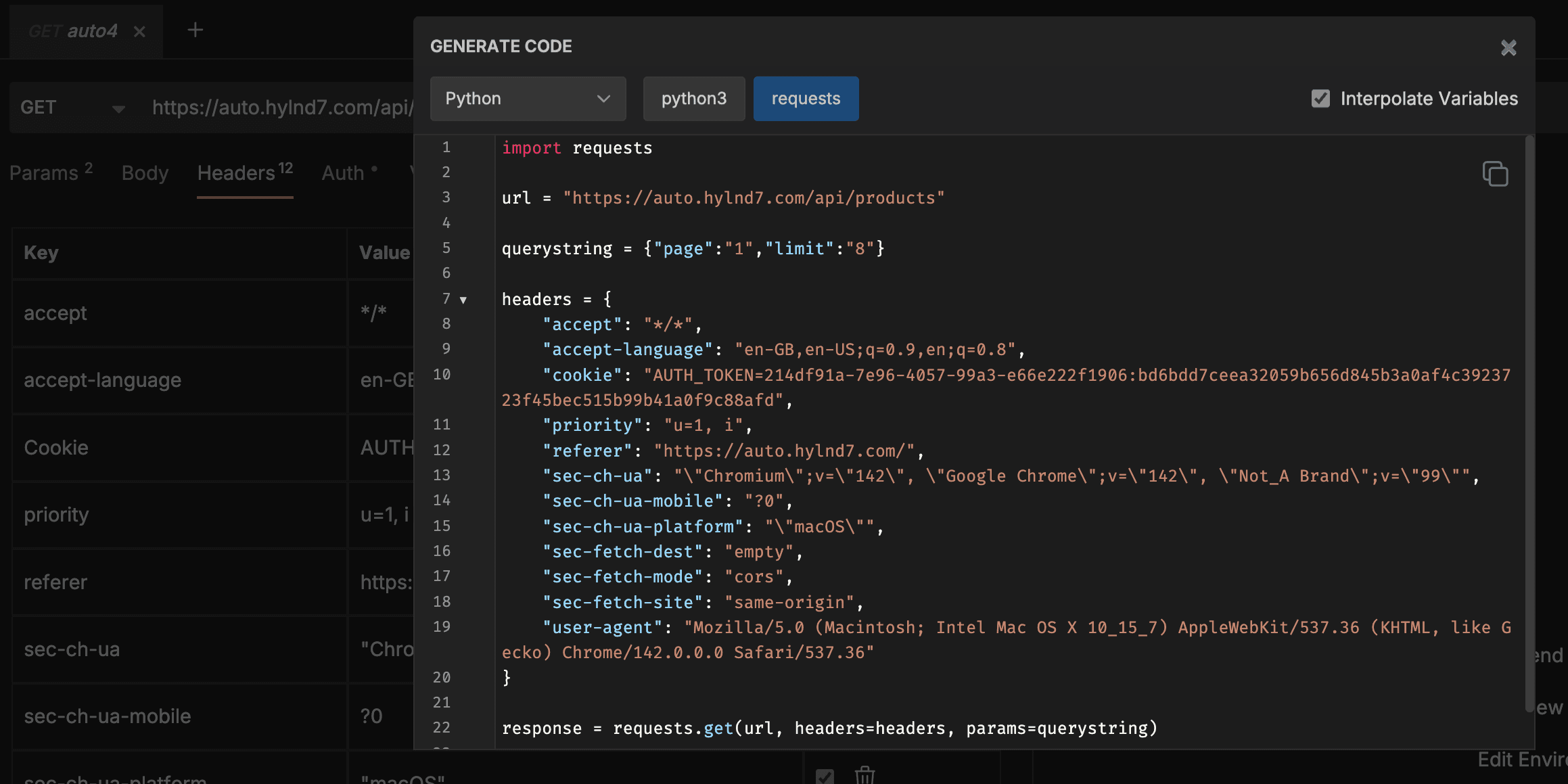
“I copied the request -> matching headers, cookies and IP, but STILL failed?”
Your TLS Fingerprint
To use an analogy: We’ve effectively written a different name on a sticker and stuck it to our t-shirt, hoping to get past the bouncer at a bar.
The Nametag (Headers): Says "Chrome."
The T-Shirt Logo (TLS Handshake): Very obviously says "Python."
This mismatch is spotted immediately. We need to change our t-shirt to match the nametag.
To understand how they spot the logo, we need to look at the initial “Client Hello” packet. There are 3 key pieces of information exchanged here:
Cipher Suites: The encryption methods the client supports.
TLS Extensions: Extra features (like specific elliptic curves).
Key Exchange Algorithms: How they agree on a password.
To draw a "Python Logo," the colors (Ciphers), extensions (shapes), and key algorithms (logo placement) are completely different from what it takes to draw a "Chrome Logo."
This is because Python’s requests library uses OpenSSL, while Chrome uses Google's BoringSSL. While they share some underlying logic, their signatures are notably different. And that’s the problem.
OpenSSL vs. BoringSSL
The root cause of this mismatch lies in the underlying libraries.
Python’s requests library relies on OpenSSL, the standard cryptographic library found on almost every Linux server. It is robust, predictable, and remarkably consistent.
Chrome, however, uses BoringSSL—Google’s own fork of OpenSSL. BoringSSL is designed specifically for the chaotic nature of the web and it behaves very differently.
The biggest giveaway between the two is a mechanism called GREASE (Generate Random Extensions And Sustain Extensibility).
Chrome (BoringSSL) intentionally inserts random, garbage values into the TLS handshake—specifically in the Cipher Suites and Extensions lists. It does this to "grease the joints" of the internet, ensuring that servers don't crash when they encounter unknown future parameters.
This is one of the key changes
Chrome: Always includes these random GREASE values (e.g., 0x0a0a).
Python (OpenSSL): Never includes them. It only sends valid, known ciphers.
So, when an anti-bot system sees a handshake claiming to be "Chrome 120" but lacking these random GREASE values, it knows instantly that it is dealing with a script. It’s not just that your shirt has the wrong logo; it’s that your shirt is too clean.
JA3 Hash
Anti-bot companies take all that handshake data and combine it into a single string called a JA3 Fingerprint.
Salesforce invented this years ago to detect malware, but it found its way into our industry as a simple, effective way to fingerprint HTTP requests. Security vendors have built databases of these fingerprints.
It is relatively straightforward to identify and block any request coming from Python’s default library because its JA3 hash is static and well-known.
This code snippet would yield the below JSON response.
Note the lack of akamai_hash:
Putting the above JA3 hash into ja3.zone clearly shows this is a python3 request, using urllib3:
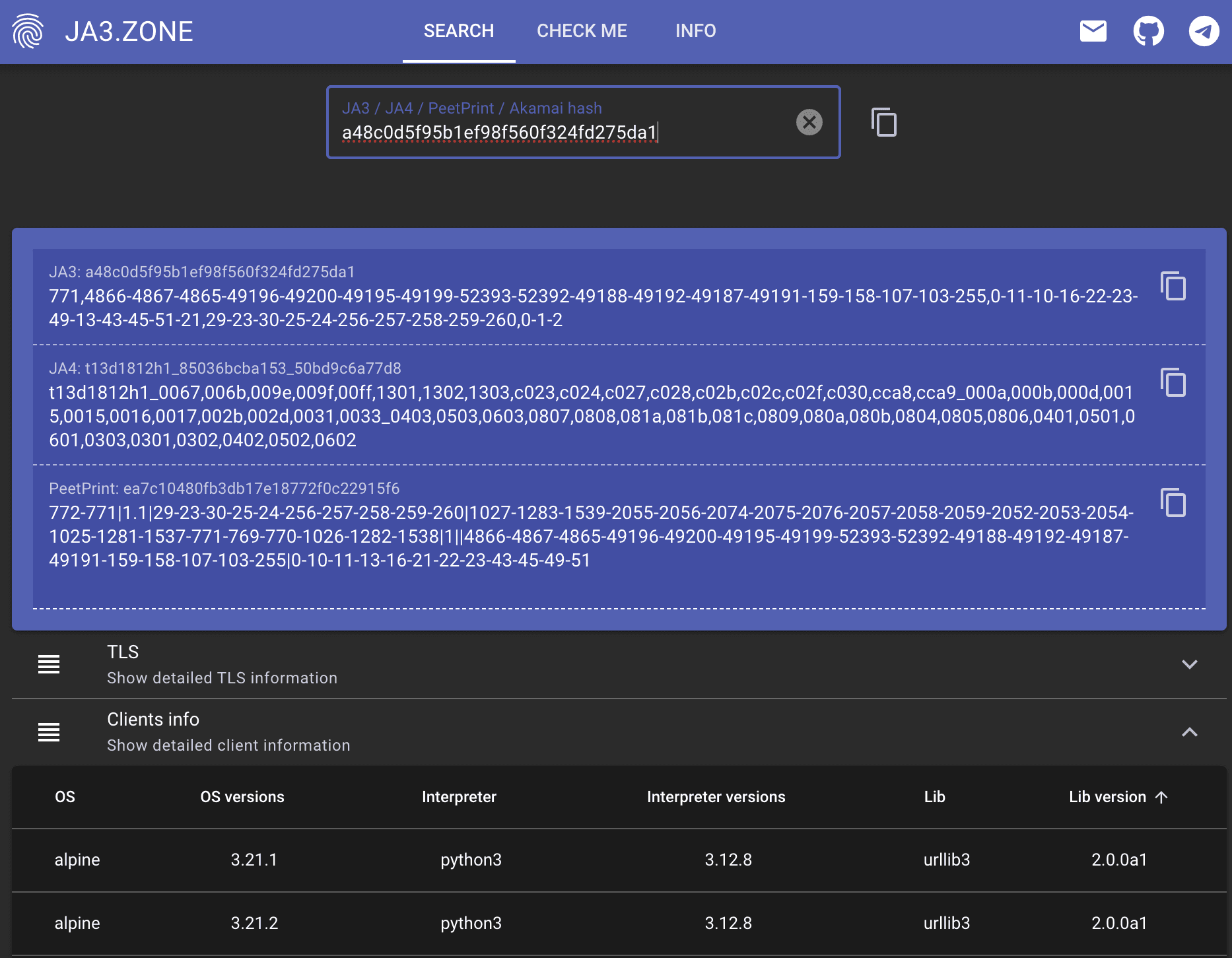
JA3 Zone helps us check hashes
What’s the solution?
As mentioned, simply changing headers and IP addresses won’t make a difference, as these are not part of the TLS handshake. We need to change the Ciphers and Extensions to be like what a browser would send.
The best way to achieve this in Python is to swap requests for a modern, TLS-friendly library like curl_cffi or rnet.
These libraries wrap low-level C code to spoof the browser's handshake. Here is how easy it is to switch:
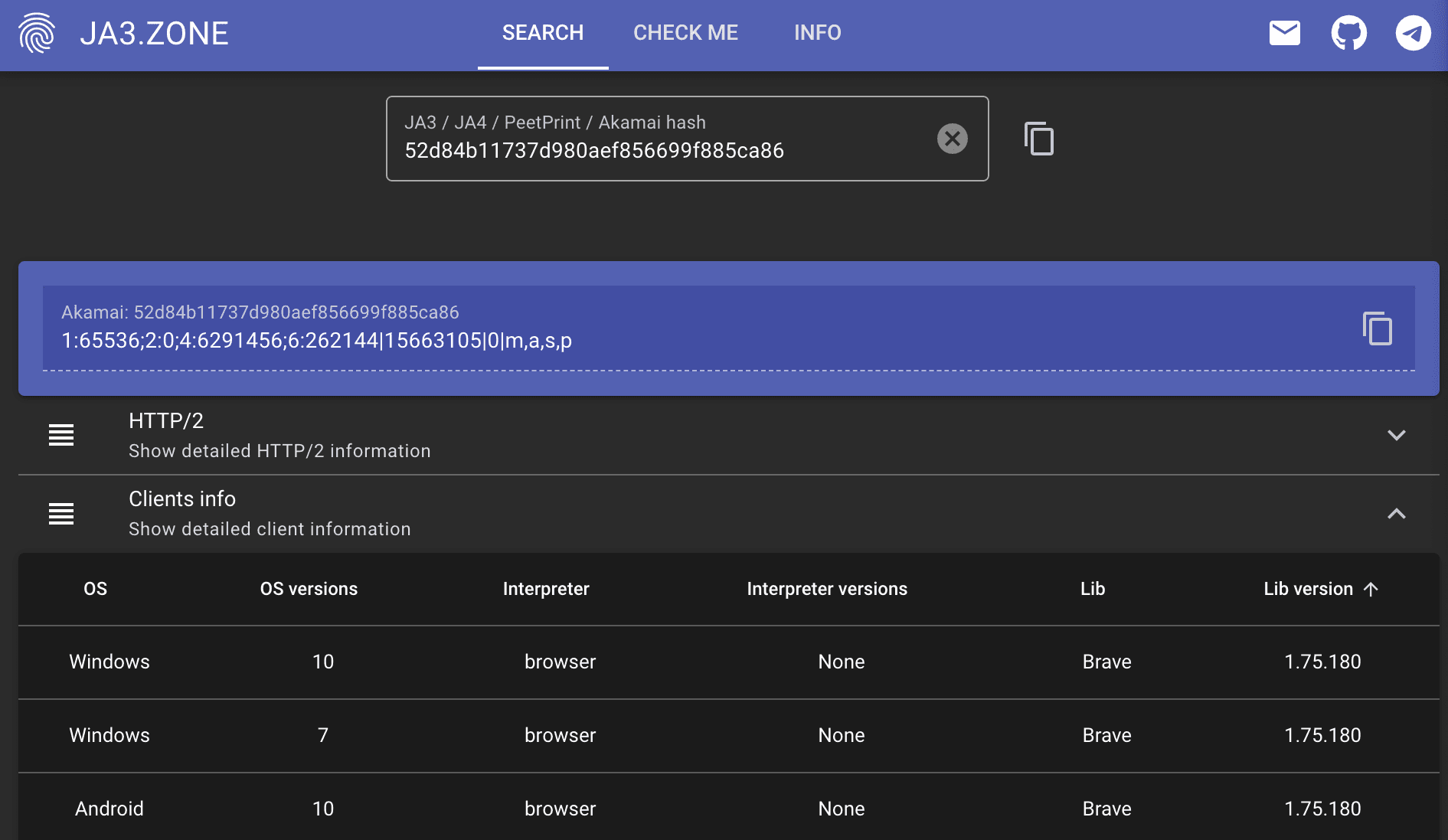
Note - I searched via the akamai_hash here as the fingerprint from the JA3 hash wasn’t in this particular database.
By adding that impersonate parameter, you are effectively putting on the correct t-shirt.
Summary
Make curl_cffi or rnet your default HTTP library in Python. This should be your first port of call before spinning up a full headless browser.
A simple change (which brings benefits like async capabilities) means you don’t fall foul of TLS fingerprinting. curl-cffi even has a requests-like API, meaning it's often a drop-in replacement.
However, if changing the handshake doesn’t fit your use case, you might need to look at using a headless browser.
Zyte's Solution
Zyte API handles anti-bot management for you, automatically selecting optimum tactics and tools for each site, so you can skip the guesswork and scale instantly with confidence. This includes all of the fingerprinting issues we've covered in this post, and much much more.
FAQs
What is a JA3 Hash?
JA3 is a method for creating a digital "fingerprint" of your TLS client. It takes technical details from your "Client Hello" packet—such as the Cipher Suites you support and the specific order they are listed in—and turns them into a short string (hash).
Standard Python
requestshas a very common, static JA3 hash that is easily blacklisted.Real Browsers have complex, varying hashes that include "GREASE" (random garbage data) to ensure compatibility.
Which Python library should I use to fix this?
We recommend swapping the standard requests library for curl_cffi or rnet.
curl_cffiallows you to pass animpersonate="chrome"parameter, which automatically makes your TLS handshake identical to a real browser. It is often a drop-in replacement for requests.
Does using Selenium or Playwright fix this?
Yes. Because Selenium and Playwright control a real browser binary, they naturally generate a valid browser TLS fingerprint. However, they are much slower and more resource-intensive than using a specialized HTTP client like curl_cffi.