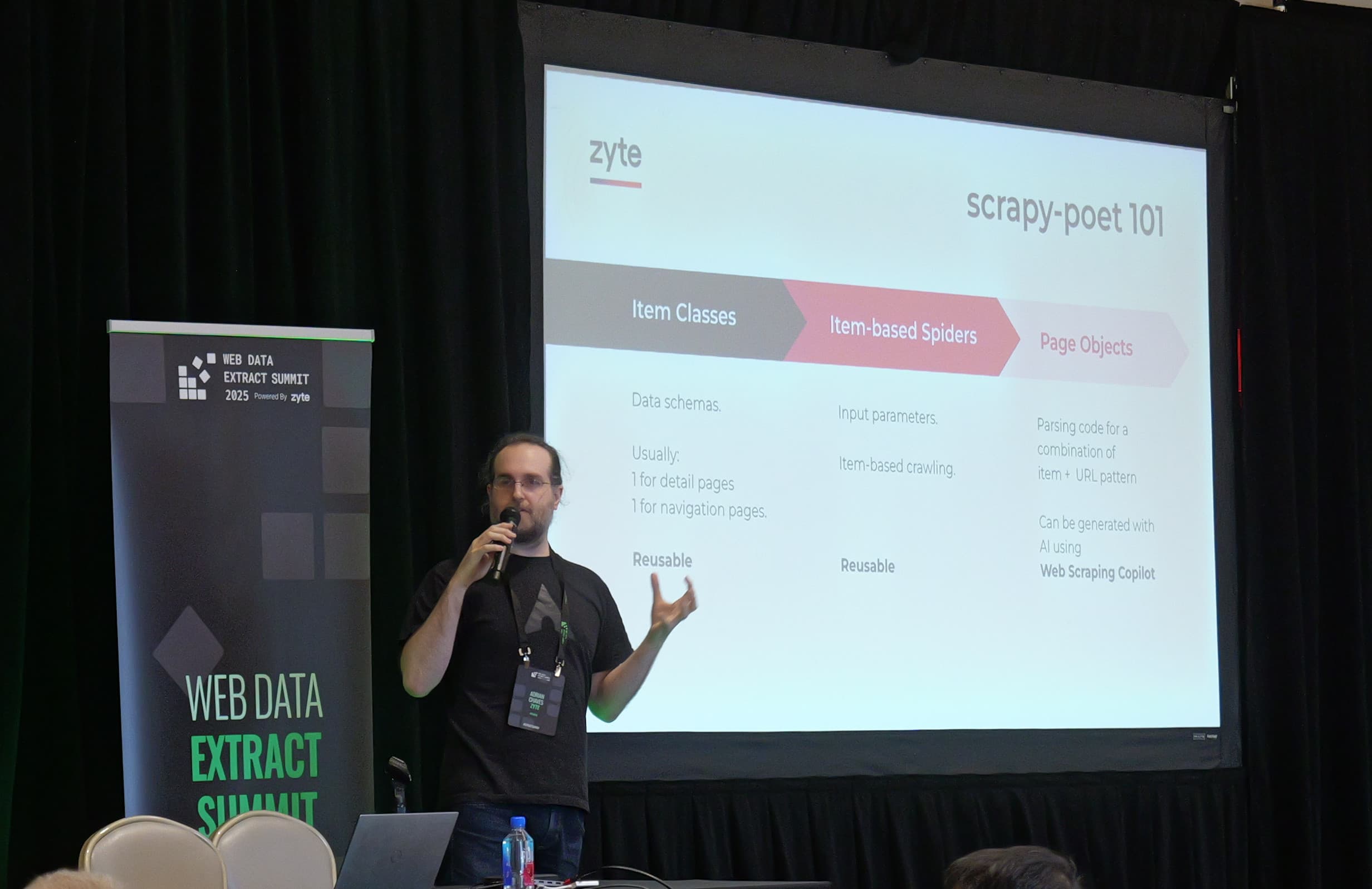
As lead maintainer for Scrapy, Adrian Chaves has made over 700 commits to the world’s most-used open source data extraction framework, has reviewed thousands of spiders and been instrumental in Scrapy’s community, pull requests, documentation and support channels.
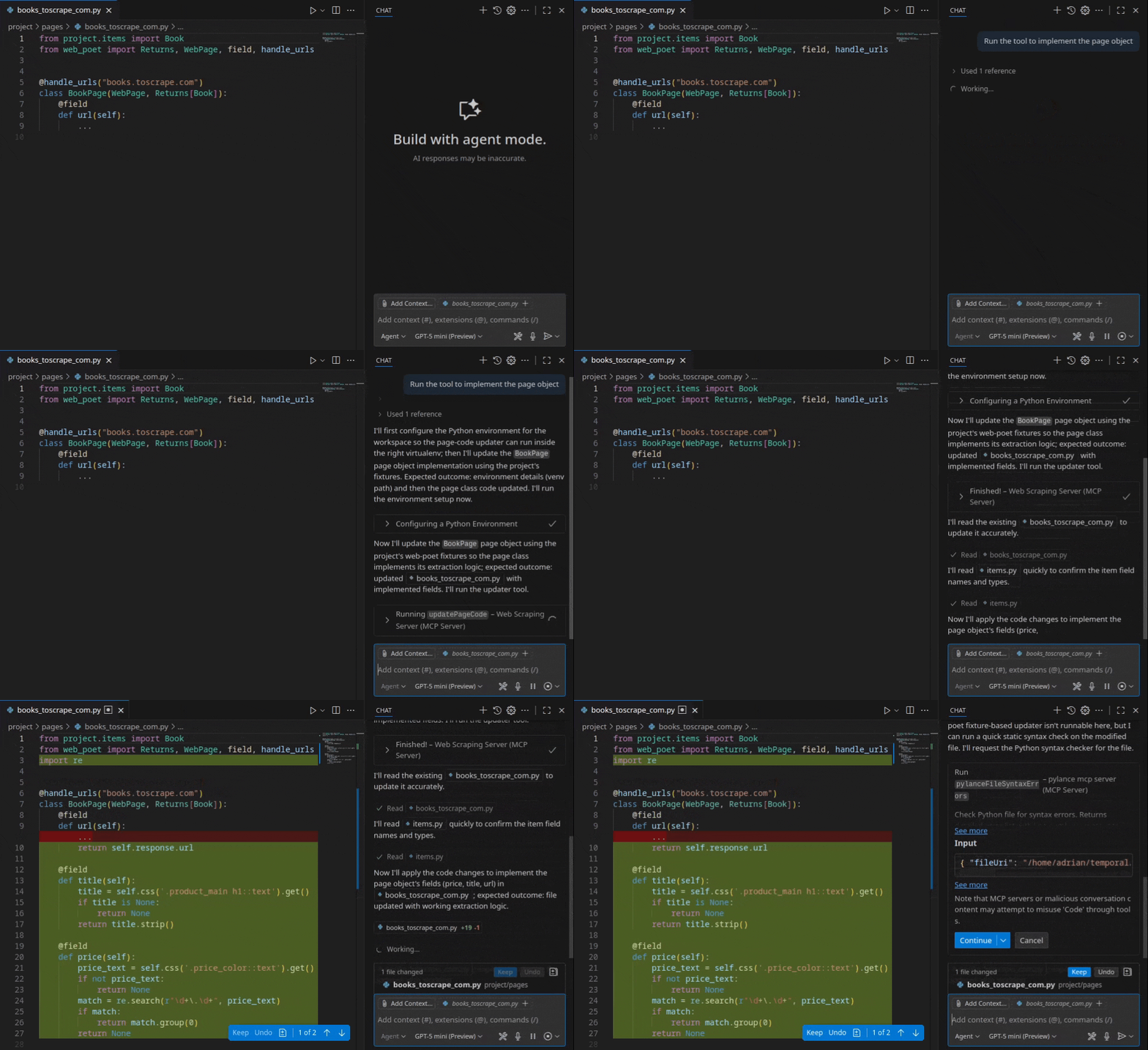
What’s more, Adrian is also part of the team that built Web Scraping Copilot, Zyte's recently-launched free Visual Studio Code extension that uses AI to generate production-grade web data extraction code.
That combination makes him the right person to answer the questions developers are asking - “can you trust the code it generates in production?”, “what happens when the AI gets it wrong?”, “is the output maintainable?”
I sat down with him to talk about the Web Scraping Copilot extension.
What does ‘correct parsing logic’ mean for Copilot's output?
Neha: The Web Scraping Copilot launch post says the tool "simplifies input HTML, selects required document nodes, extracts values and generates the correct parsing logic”. You've seen every way developers write parsing code - the good, the bad and the kind that works today and breaks in a month. So what does "correct" mean from where you sit?
Adrian: There are two measures our research team focuses on, and I'm quite aligned with both: the quality of the output and the simplicity of the code.
Quality is a given. You have to extract the right values. But simplicity is where things get interesting, especially when you think about maintenance.
There are some areas of software development where you write code once and it stays there forever. Web scraping is never that. Websites change. That's why we exist, and that's what we have to deal with. They may change a week from now or a year from now, but they will change.
The code has to be as simple and readable as possible. That's been the philosophy behind Scrapy and scrapy-poet, and I think it's the key metric for evaluating AI-generated parsing code too.
One thing AI-generated code tends to do is be overly defensive. It tries to anticipate every possible scenario, and the result is complex code that's harder to read and harder to maintain. But you can't predict how a website will change. Defensive code doesn't save you from that. So what I look for is the simplest code that gets the right value right now, combined with the ability to detect when things break and update quickly.
What had to change between beta and v1.0?
Neha: Copilot shipped as a beta in November. Now it's v1.0. That's a meaningful label for a tool that generates code developers will deploy to production. What had to cross the line before the team was comfortable calling it 1.0?
Adrian: It's really twofold.
The first thing: when the extension works perfectly, the experience is great. You run the workflow, everything goes well, your tests are green. But we're talking about AI, so it's never going to be 100% perfect. And in the beta, when things didn't go perfectly, the experience was not ideal. The workflow would end, and you were left to figure out what went wrong on your own. You'd have to dig into JSON expectation files, understand scrapy-poet fields you might not be familiar with. Not ideal, especially for someone new to the ecosystem.
The main thing we built for 1.0 is a test UI. It lets you see exactly what's failing, where, and why. It gives you tools to either re-run the AI to fix it or manually correct specific fields yourself, all within a clear visual interface.
Before, you'd have to go into different files and understand how things worked behind the scenes. Now, you can see the full picture in one place.
We also took the chance to do user interviews and gather feedback on the setup process. Getting through that first workflow can be a challenge for some people, and once you understand it, the extension is usually quite productive. So we focused on making that first experience smoother and more accessible.
Those are the two keys: a better experience when AI output isn't perfect, and a setup process that doesn't get in the way.
Why Web Scraping Copilot doesn't use an LLM at runtime
Neha: Our chief product officer Iain Lennon's blog post talks about the "no additional runtime costs" principle. The LLM generates code at dev time, but at runtime it's just Scrapy. From your perspective, maintaining spiders that run millions of requests, what actually happens when you put an LLM in the runtime path?
Adrian: It comes down to requirements. There are use cases where running an LLM at runtime makes sense. Broad crawls, for example, where you want to extract products from thousands of different websites without writing code for each one. In those cases, there's real value in an AI model that can handle whatever site you throw at it.
But that's not the most common use case. Usually, you're focused on specific websites and you need 100% accuracy. LLMs are very good and getting better, but I find it hard to believe they'll ever be 100% accurate. If you got the HTML and you're extracting data from it, risking the model hallucinating even one value on a page is problematic for projects where accuracy is non-negotiable.
And then there's cost. The cost difference between generating code once and running it, versus running an LLM on every single request, is abysmal. Some companies can afford it. Most can't.
https://www.youtube.com/watch?v=7I73P8P9\_2U\&t=1s
Why Sonnet beats Opus at writing scraping code
Neha: Sonnet 4.6 just topped the Web Scraping Copilot benchmark, beating Opus. Back in November, Gemini 3 Pro was the winner. You've watched multiple model generations go through the extension's pipeline. Is there something about how Web Scraping Copilot uses these models that explains why the best general coding model isn't always the best scraping model?
Adrian: It's a very interesting question, and I was surprised, too. But, once you know the result, you can start to explain it.
First, our extension does a lot of the heavy lifting for the models. We've simplified the task so much that the complex coding ability of a model doesn't necessarily give it an advantage. The most important part of web scraping code is to be as simple as possible. Having a model that excels at complex tasks doesn't help when simplicity is the goal.
What matters more is human language understanding. When a developer says they want "price" or "availability," the model needs to understand what that means, find where it lives on the page, and figure out how to format it correctly. That's a language comprehension task, not a coding task.
We also architect the process so that each LLM call only handles one field at a time. The model gets a simplified version of the HTML and a single extraction target. Say it's the price field: that's all the model knows about. We run these calls in parallel, each with a small, focused context. Models produce better output with less context. So, by breaking the task into bite-sized pieces, we get better results from every model, but especially from the ones that are strong at language understanding.
That could explain why a model that isn't specifically trained for development can outperform the dedicated coding models in this specific use case.
Did scrapy-poet accidentally make Web Scraping Copilot possible?
Neha: The Modern Scrapy tutorial series shows Copilot auto-generating page objects, items, and test fixtures. That's the entire scrapy-poet architecture. Not just parsing code, but an opinionated software architecture that Web Scraping Copilot now generates end to end. As someone who maintains Scrapy and has deep context on scrapy-poet: did this architecture accidentally make Web Scraping Copilot possible?
Adrian: It's a great question, and the answer is a bit of a happy accident.
scrapy-poet was designed by Mikhail before the current LLM boom. But he did design it with AI in mind, because at that point Zyte was already building its own AI models for extraction, not LLM-based but a different approach. He designed scrapy-poet so that code could be generated automatically and still fit cleanly into the Scrapy ecosystem.
Scrapy itself is quite opinionated. It has middlewares, pipelines, and many other specific points of interaction. It gives you flexibility but within a defined architecture that makes code more maintainable in the long run. scrapy-poet continues that philosophy by forcing extraction code into a specific structure.
It turns out that the cleaner and more structured your codebase is, the easier it is for AI to generate code that fits into it. So we essentially prepared an AI-ready codebase before LLMs arrived on the scene.
I wouldn't call it luck, because Mikhail knew what he was doing. It was going to be useful even without LLMs. But in hindsight, we were in the right place at the right time doing the right thing.
What does Web Scraping Copilot's HTML simplification layer get right?
Neha: Web Scraping Copilot pre-processes HTML before the LLM ever sees it, stripping it down to relevant document nodes instead of feeding hundreds of thousands of tokens into a model. What does that simplification get right? And does it ever lose something useful?
Adrian: I should say upfront that I'm not the expert on this part. The research team designed it, and I'd recommend talking to them for the full picture. But I do have some context from integrating it into the extension.
Any simplification of HTML is going to help an LLM. The models are really not good right now at extracting data from large raw HTML. So just not being raw HTML already gives you a big improvement.
But when you remove things, there's always a risk of stripping away something useful. In web scraping specifically, script tags are a classic example. Usually they contain JavaScript you don't care about. But sometimes those script tags contain the entire page's data in JSON format, and if you find that, you can parse the whole JSON and ignore the HTML elements altogether. Sometimes the JSON even has data that's more complete than what's visible on the page.
So there's a tension. If your simplification tool strips all script tags as a default, you might lose exactly the shortcut that would have made extraction trivial.
I'm sure there are still some edge cases where our simplification removes something potentially useful. But the research team built something that keeps most of the interesting bits while dramatically reducing the HTML. When you compare the raw page with what the simplified version looks like, it feels like magic.
Behind the scenes: building the extension
Neha: This is an extension that contains multitudes. AI logic from the research team, a bundled MCP server, TypeScript wrapping Python concepts, a full Scrapy project management UI. What was the process actually like building something with so much going on inside it? Can you give us a peek behind the curtain?
Adrian: I can tell you one thing right away: without AI, the extension would have taken three times as long to build.
We're a team of Python developers. Writing a VS Code extension means writing TypeScript. It's a nice language, and there are similarities, but the first few days were not straightforward. As the Spanish idiom goes: “I felt like an octopus in a garage. Completely lost.”
But at the same time, it was exciting.
VS Code is basically a web browser with an API. The freedom of knowing you can shape the developer experience however you want, and just build it, that was really nice.
AI worked as a translator for us. When you're very familiar with programming concepts but not with a specific language, it's very natural to describe what you want and have the AI write it in the right syntax. It works well for that. But we don't merge a single line of code unless a human has reviewed it and understood what it does. It's not vibe coding. The AI helps, the human decides.
The architecture itself was a collaboration. The research team provided most of the complex AI logic. We built the glue code: a bundled MCP server that defines three tools, and those tools call the research team's code to do the actual extraction work. Our job was packaging all of that into an experience that feels seamless in VS Code.
Try it yourself
Web Scraping Copilot is free on the Visual Studio Code Marketplace. If you use our agent mode, you can start with a single prompt: "Extract data from this website." A few minutes and a couple of follow-up answers later, you have a working spider.
The v1.0 release focuses on what happens when things aren't perfect: a test UI that shows you exactly what failed and how to fix it, plus a smoother setup experience so you can get to that first successful workflow faster.
Give it a try and let us know what you think in the Extract Data community on Discord.