
If you’ve done any amount of web scraping, you’ll probably relate to this.
Every new scraping project starts the same way:
Create a Python virtual environment.
Install Scrapy.
Open scrapy shell.
Test XPath / CSS selectors.
Realize the site is JavaScript-heavy.
Install another library.
Maybe add Zyte.
Maybe add BeautifulSoup.
Maybe Pandas, too.
Fix version conflicts.
Repeat… again… and again…
I’m relatively new to the world of web scraping, and this setup loop was honestly taking more time than the actual scraping. I decided to fix it once for myself - and ended up building something I now use every single time I approach a new scraping problem.
That project is Scraping Swiss Army Knife.

The problem I was facing
Web scraping is rarely “one-size-fits-all”.
Every website is different, whether it’s different HTML structures, anti-bot measures, rendering behavior or just different data extraction needs
Before writing any real code, I usually just want to:
Inspect the page.
Test selectors.
Fetch a few URLs.
See what breaks.
Decide which tools I actually need.
What’s inside?
Scraping & HTTP
Scrapy.
Zyte API with Scrapy integration.
requests.
BeautifulSoup4.
lxml.
Data and eExploration
Pandas.
Jupyter Notebook (CLI-based).
CLI Utilities
curl.
jq.
nano.
vim.
Platform
Python 3.12.
Linux.
Multi-arch (runs on Intel and Apple Silicon).
It is all bundled into one container.
The idea: A Disposable scraping playground
What I really wanted was a ready-made scraping environment with all common tools already installed, something that works on any machine (Intel or ARM) and something I can start, experiment with, throw away and recreate anytime
So I built a multi-architecture Docker container that acts like a scraping playground and for now let’s call it: Scraping Swiss Army Knife.
It is a Docker image that comes preloaded with the tools I most often need during the exploration phase of scraping.
How I use it (my actual workflow)
Make sure you have Docker installed and running on your workstation. You can refer to this guide to install docker. Once done, simply:
Step 1: Pull the container
1docker pull iayanpahwa/scrapingswissarmyknife:latestStep 2: Run it
1docker run -it iayanpahwa/scrapingswissarmyknifeThat drops me into a Linux shell with everything installed.
Step 3: Explore with Scrapy shell
1scrapy shell https://example.com
2
3Inside:
4response.status
5response.css("h1::text").get()I test selectors, inspect responses, and understand the structure before writing a single spider.
Step 4: Try Zyte (if needed)
If the site is JavaScript-heavy or protected, I rerun the container with my Zyte key:
1docker run -it \
2  -e ZYTE_API_KEY=your_key_here \
3 iayanpahwa/scrapingswissarmyknifeThen inside Scrapy shell:
1fetch("https://httpbin.org/html", meta={"zyte_api": True})
2response.text[:300]This tells me immediately:
Do I need browser rendering?
How does Zyte solve the problem?
Step 5: Experiment freely
Sometimes, I switch to using requests and BeautifulSoup:
1python3 - << 'EOF'
2import requests
3from bs4 import BeautifulSoup
4
5html = requests.get("https://example.com").text
6soup = BeautifulSoup(html, "lxml")
7print(soup.h1.text)
8EOFSometimes, I quickly test data handling with Pandas. Once I’m confident about:
the approach.
the tools.
the complexity.
…I exit the container.
That’s it. No environment cleanup, no dependency conflicts, no lingering mess. Next time I need it, I just summon it again.
Why Docker (and why multi-arch)
Docker gives me disposability.
I treat this container like a scratchpad:
Pull.
Test.
Kill.
Recreate.
And because it’s multi-architecture, it works the same on:
Intel laptops
M1/M2/M3 Macs
Linux servers
CI environments
When I don’t use This container
Important point:
This is not meant to replace your production scraping setup.
Once I know…
exactly which tools I need.
what libraries are required.
how the scraper should be structured.
… I go and build a clean, minimal project-specific environment.
This container is for:
exploration.
learning.
debugging.
experimentation.
Think of it as a sandbox, not the final product.
Open to the community
This project started as a personal solution, but if you’re a developer or web scraper, you might find it useful too.
If you think:
a tool is missing.
something can be improved.
another package should be included.
… I’d love contributions.
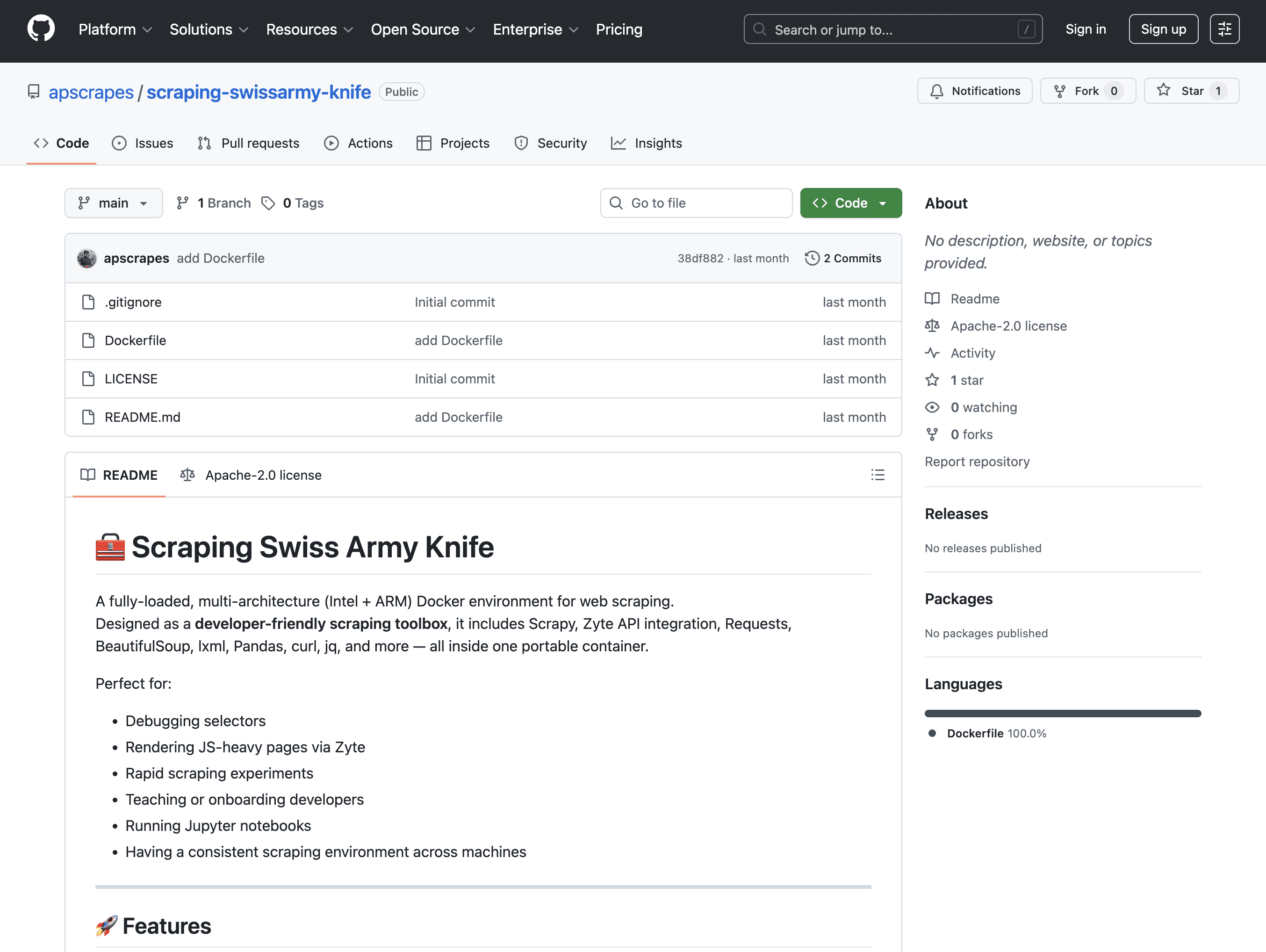
The GitHub repo is at https://github.com/apscrapes/scraping-swissarmy-knife
Open an issue, send a PR, suggest ideas After all, web Scraping is a moving target, and we’re all figuring it out together.
Web scraping is already hard enough. You shouldn’t be burning time before you even start.
For me, Scraping Swiss Army Knife removed friction from the very first step and that alone made it worth building. If it saves you even one setup cycle, it’s done its job.
Happy scraping 🕸️