

They say that “data is the new oil”, but there’s another hot commodity that’s setting markets alight - precious metals.
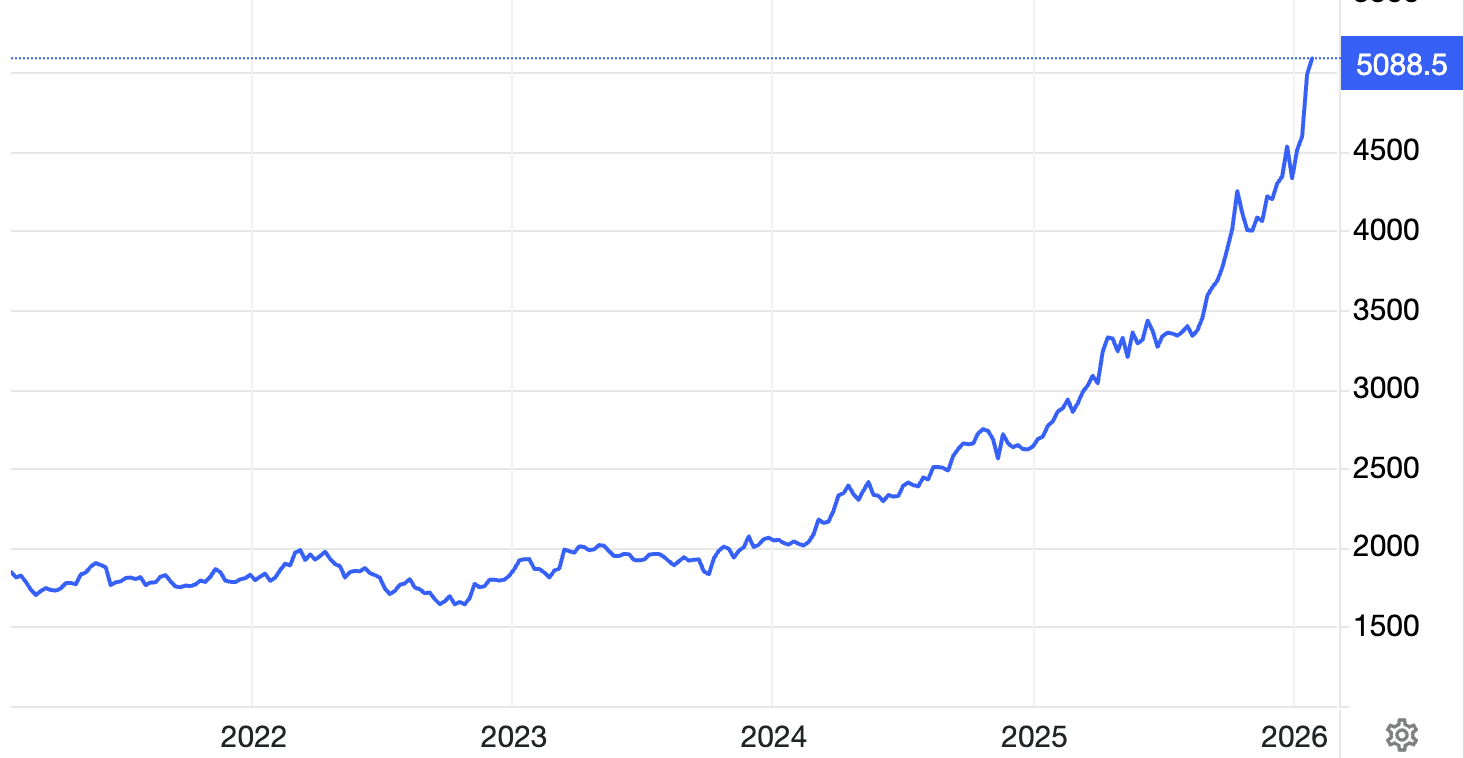
In the last 12 months, the value of gold has surged about 75%, while silver has boomed more than 200%. That’s why I, like a growing number of others, now trade in the metal markets.
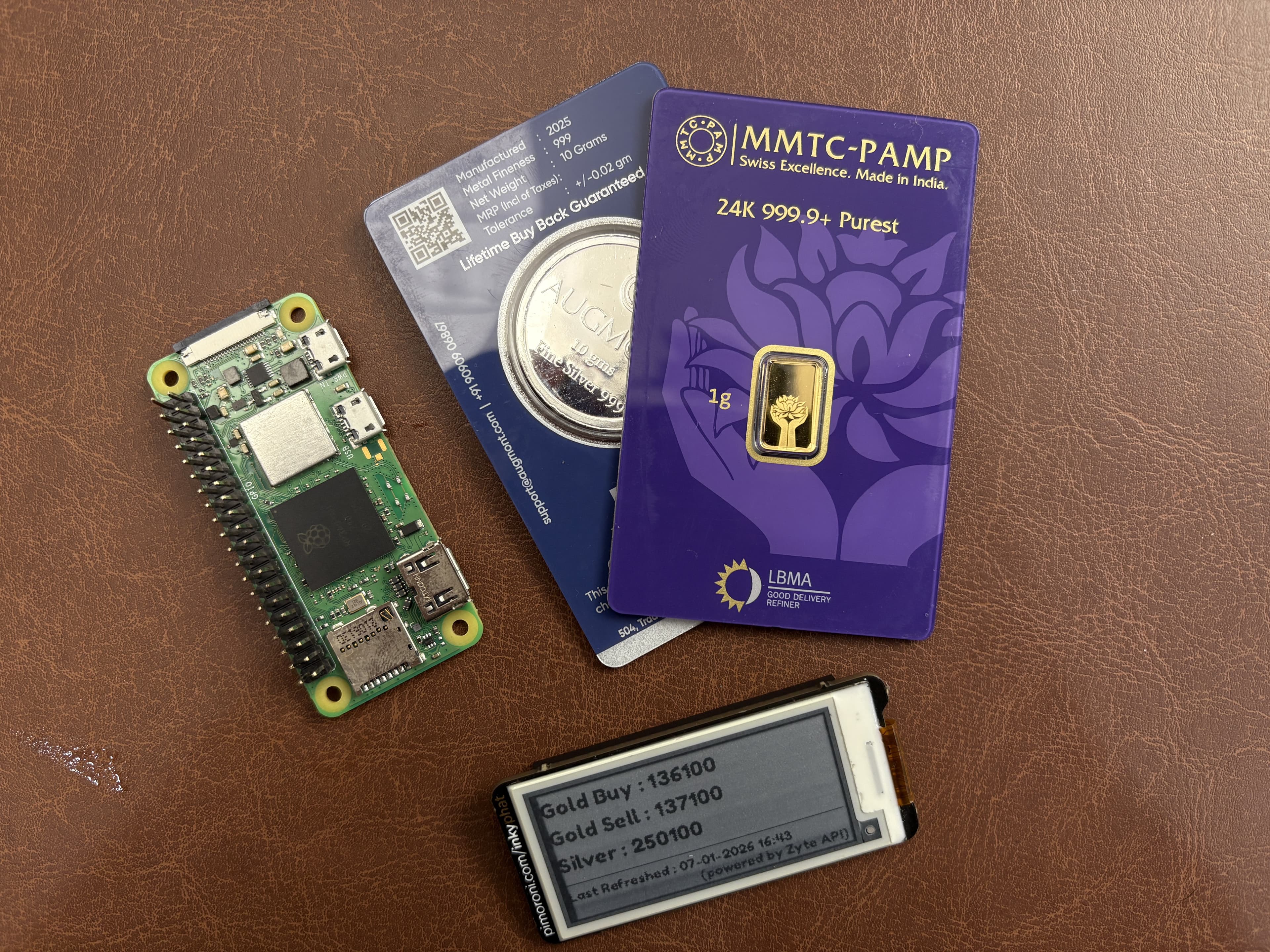
These days, it is possible to buy digital versions of precious metals. But I think of myself as a collector - I like to buy real, solid coins or bullions whenever I get a chance.
In the last two years, I have acquired a small collection of gold bullions and silver coins, which have appreciated healthily. But I am not planning to sell and book a profit just yet. In fact, I want to buy more, especially when there’s a dip in the price.
There’s just one problem that hits this hobby - prices of actual physical gold and silver bullions are very different in the retail market from stock exchanges’ spot prices and keeping track of them manually is cumbersome specially with a full time job.
To take advantage of the dips and price arbitrage, I need to automate my decisions. To buy gold old-style, I need a key resource from the modern trading toolset - data.
Turn data into gold
The All-India Gem And Jewellery Domestic Council (GJC), a national trade federation for the promotion and growth of trade in gems and jewellery across, is the go-to site listing latest retail rates for gold and silver.
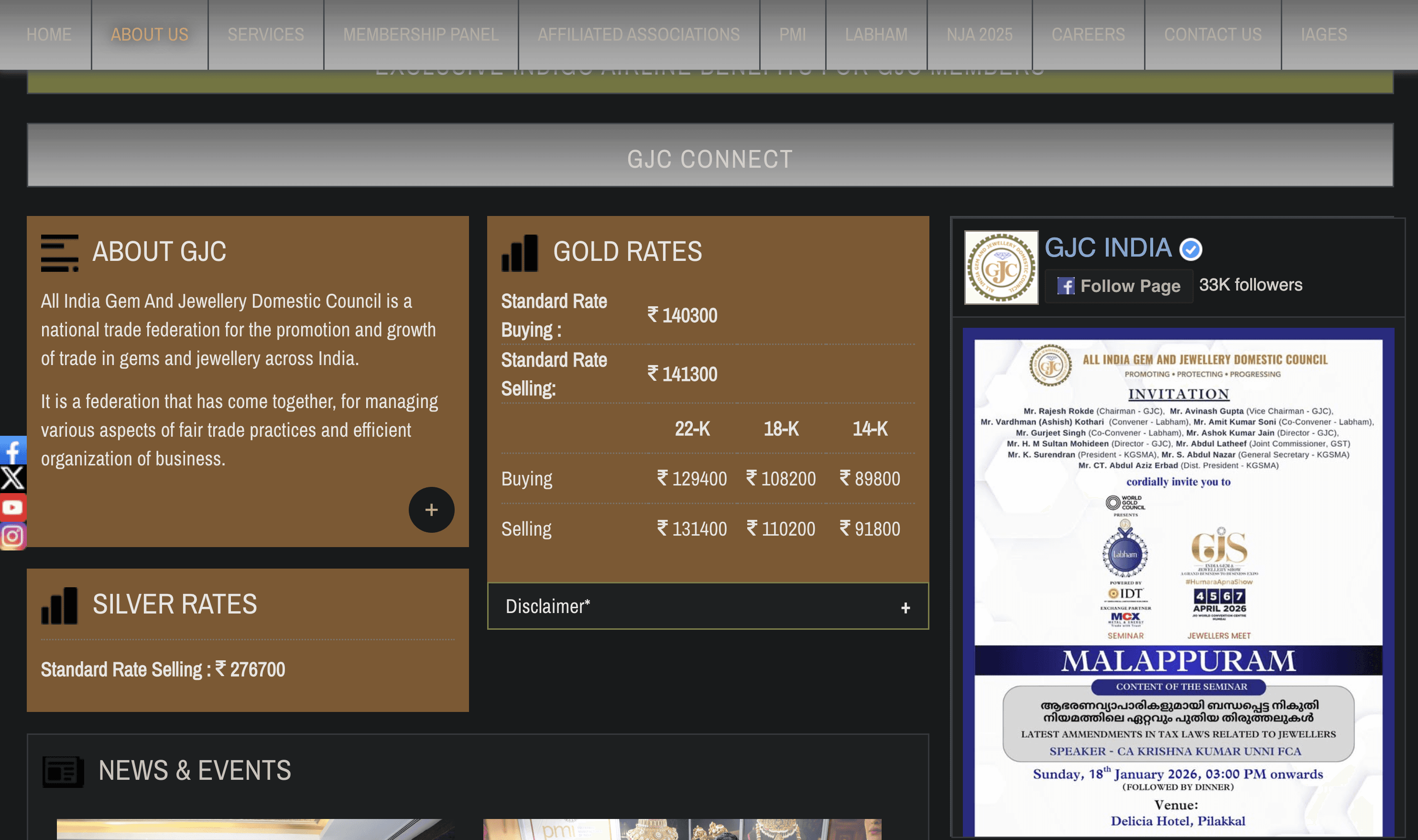
Alas, it doesn’t offer an API to access that data. But fear not - with web scraping skills and Zyte API, I can extract these prices quickly and regularly.
And I can do it using some of the tech I love to tinker with.
I call it ExtractToInk - a custom project that pulls the latest prices on a two-inch, 250x122 e-ink display powered by a retired Raspberry Pi (total cost under US$50).
This is the story of how I power my quest for rapid riches using cheap old hardware and the world’s best web scraping engine - and how you can, too.
Mining for data
Like many modern sites, GJC’s includes both JavaScript rendering for HTML and protection mechanisms- technologies that can break brittle traditional scraping solutions.
This project connects all the dots:
Web → Extract → Parse → Render → Physical display
Tech stack
Hardware
Raspberry Pi (tested on Pi Zero 2 W), it should run on any Raspberry Pi Board
Pimoroni Inky pHAT (Black, SSD1608)
Software
Python 3
Zyte API: to get rendered HTML
BeautifulSoup: to parse HTML
Pillow and Inky Python libraries: for e-ink display stuff
Now let’s get building.
Step 1: Prepare hardware
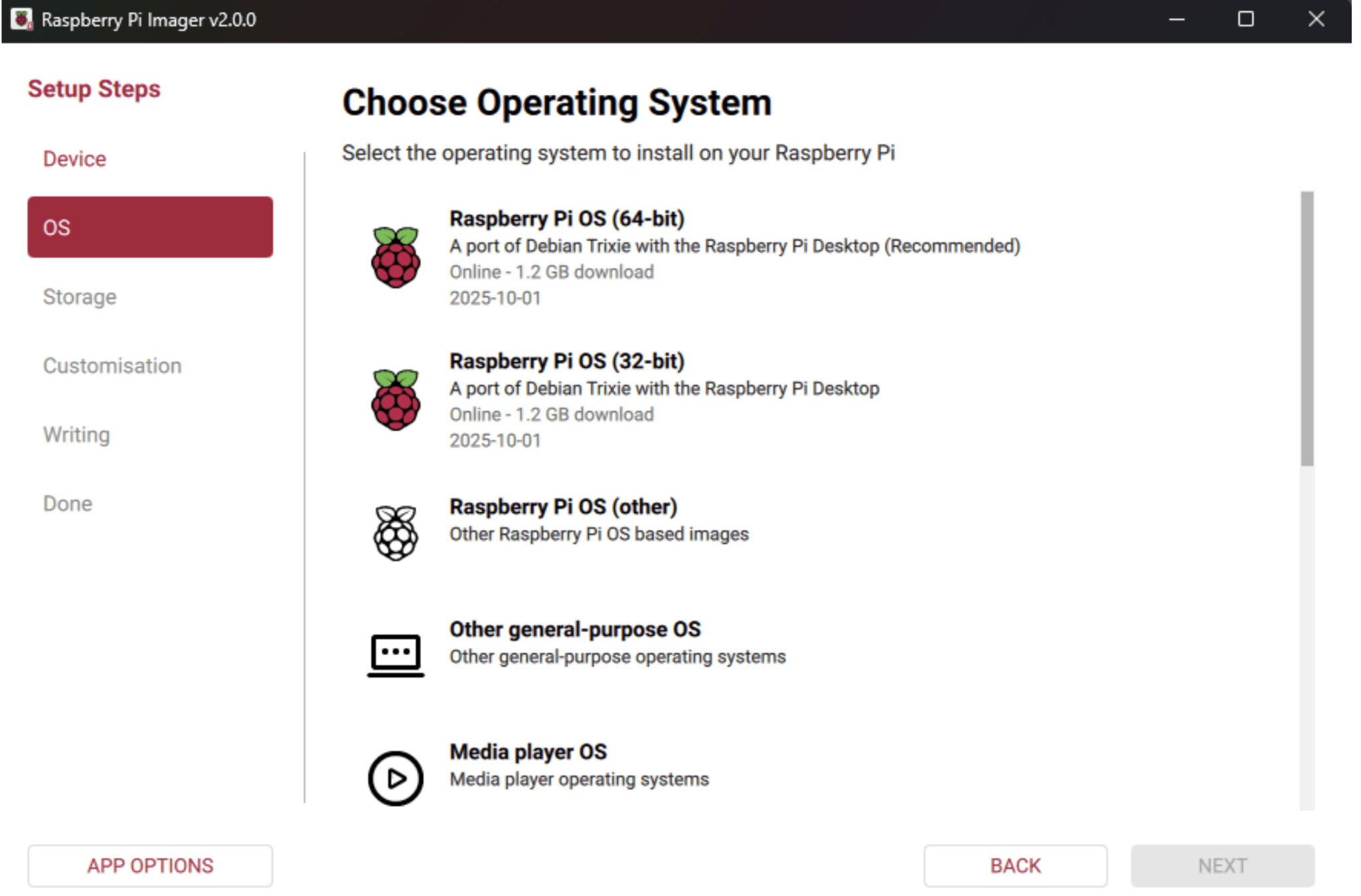
Setup your Raspberry Pi. In my case, I am using Raspberry Pi OS booted from the SD card.
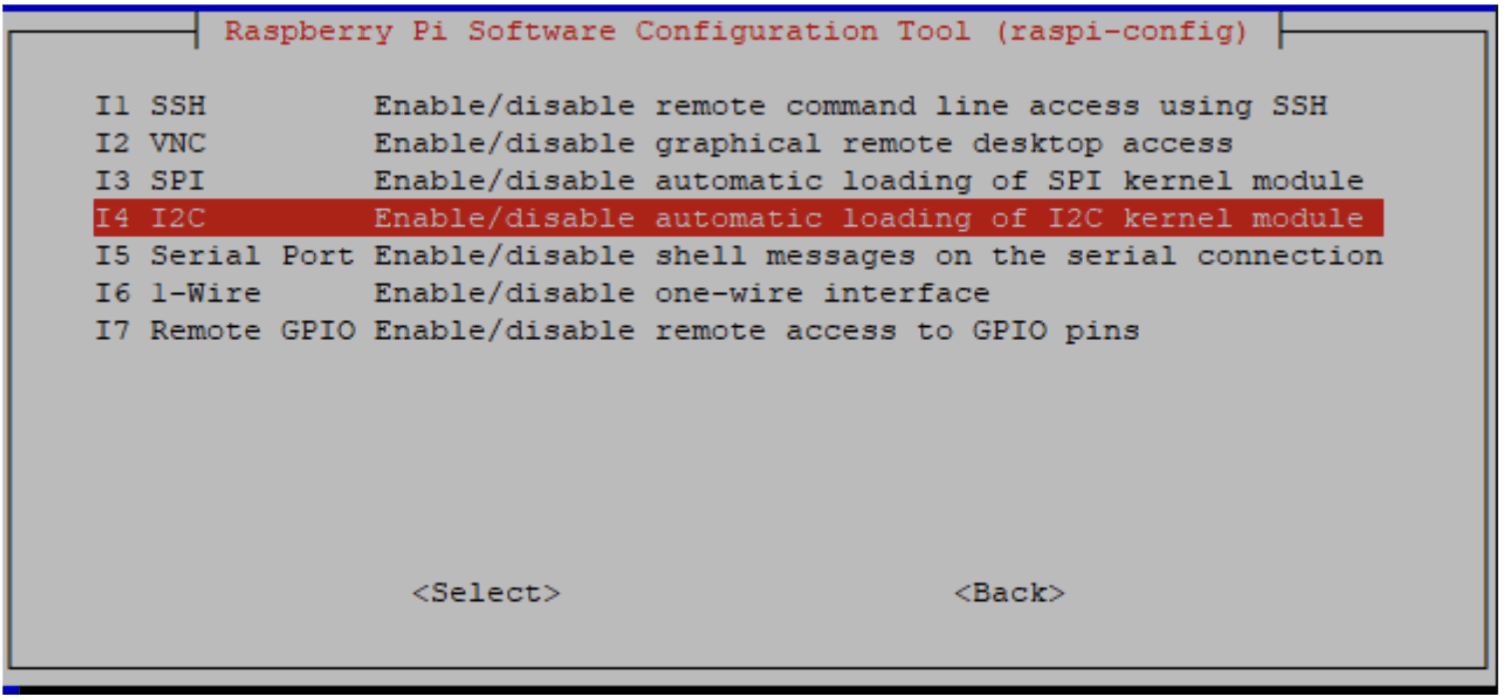
Depending on which display you use, it most probably will be connected to the Pi over i2c bus or SPI bus protocol - so, enable your display type by entering:
sudo raspi-config
Now attach your e-ink display and do a quick reboot
You might need to install libraries to use your e-ink display.
Step 2: Fetching rendered HTML with Zyte API
The source site, GJC, renders prices dynamically, using JavaScript - something which can make plain HTTP requests unreliable.
No problem. By accessing the page through Zyte API, we can set browserHTML mode to return the page content as though rendered in an actual browser.
Instead of fighting JavaScript, we let Zyte handle it.
1html = requests.post(
2    "https://api.zyte.com/v1/extract",
3    auth=(ZYTE_API_KEY, ""),
4    json={"url": URL, "browserHtml": True},
5).json()["browserHtml"]Note: there is no Selenium here, and no headless browsers. This is much more reliable for production-style scraping
Step 3: Parsing with CSS selectors
Once we have clean HTML, parsing becomes straightforward.
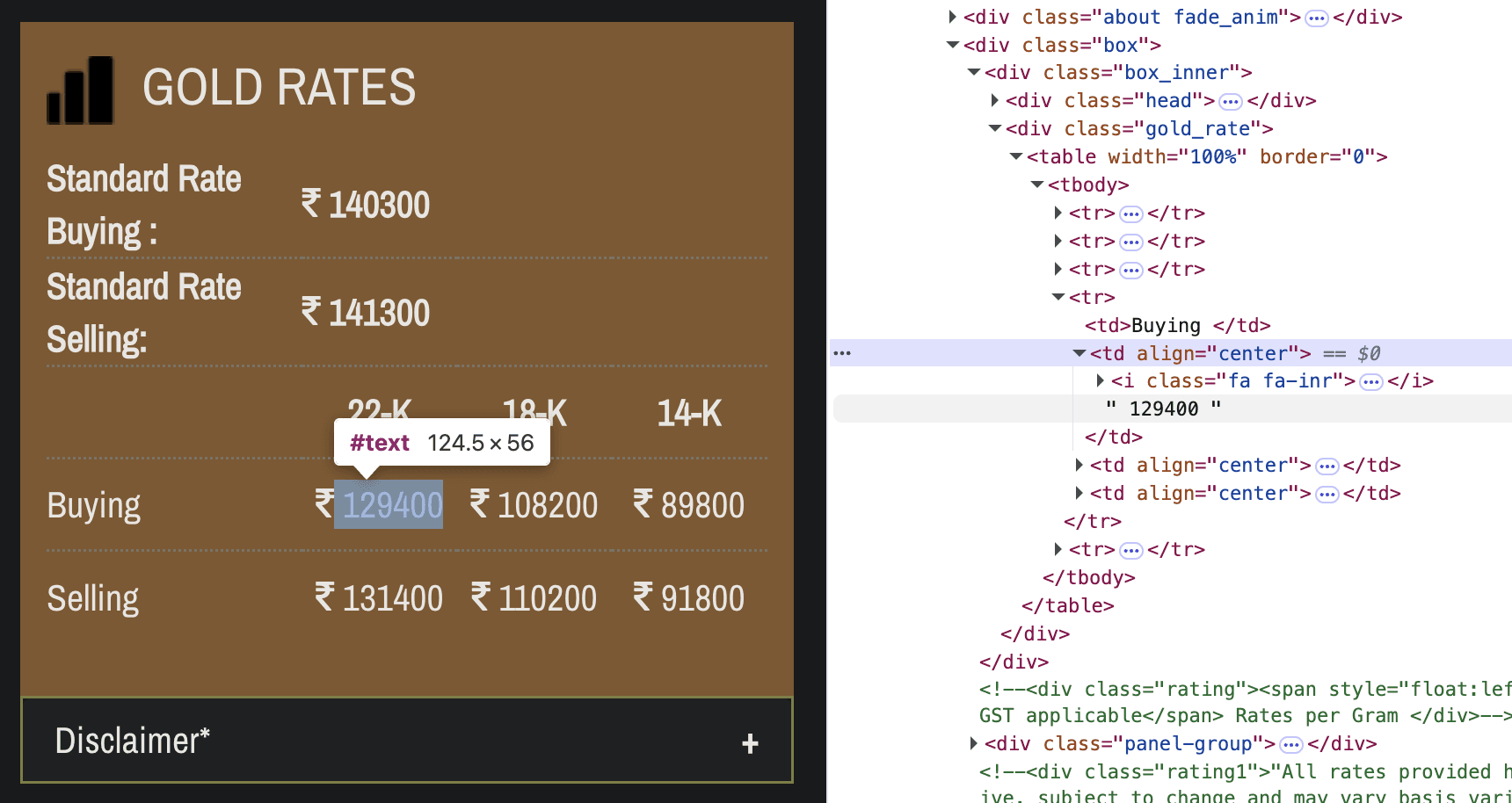
Gold prices
Let’s locate the actual prices in the page mark-up.
1for row in soup.select(".gold_rate table tr"):
2    label = row.select_one("td strong")
3    values = row.select("td strong")
4
5    if not label or len(values) < 2:
6        continue
7
8    text = label.get_text(strip=True)
9    priceText = values[1].get_text()
10
11    if "Standard Rate Buying" in text:
12        goldBuying = re.search(r"\d[\d,]*", priceText).group(0)
13
14    if "Standard Rate Selling" in text:
15 goldSelling = re.search(r"\d[\d,]*", priceText).group(0)We’re deliberately using:
CSS selectors (easy to find from your browser’s DevTools).
Minimal regular expressions (only for numeric extraction).
Defensive checks to avoid brittle parsing.
Silver prices
Silver appears outside the main table, so we filter it carefully:
1for strong in soup.select("p > strong"):
2    text = strong.get_text(" ", strip=True)
3
4    if "Standard Rate Selling" in text and not strong.find_parent("table"):
5        silver = re.search(r"\d[\d,]*", text).group(0)
6 breakStep 4: Rendering for e-ink
For this project, I did not want to pipe data into a web dashboard on a computer monitor.
E-ink is always-on, low power, distraction-free and perfect for “ambient information” like this.
So, it’s a great fit for data like prices, weather, status indicators and system health.

But e-ink displays are not normal screens.
They are typically black-and-white, have high contrast and are slow to refresh.
What’s more, no two e-ink displays are made the same way. Every vendor has different support packages so, whichever you end up using, make sure to read the documentation and change the code accordingly.
In my case, I am using Pimoroni inky PHat. The supplied Python library has great built-in examples to get you quickly up and running. I used the helper function to render texts on the display, ex, the build in draw.text() function comes handy:
1# Draw silver selling price
2 draw.text((x, y), f"Silver : {silverPrice}", fill=(0, 0, 0), font=fontBig)Taking it further
I built this project to use web data thoughtfully, connecting it to the physical world, and building pipelines that feel calm, reliable, and purposeful. When I am at my work-desk the project actively tells me the current prices so I can buy new coins if I see a price drop.
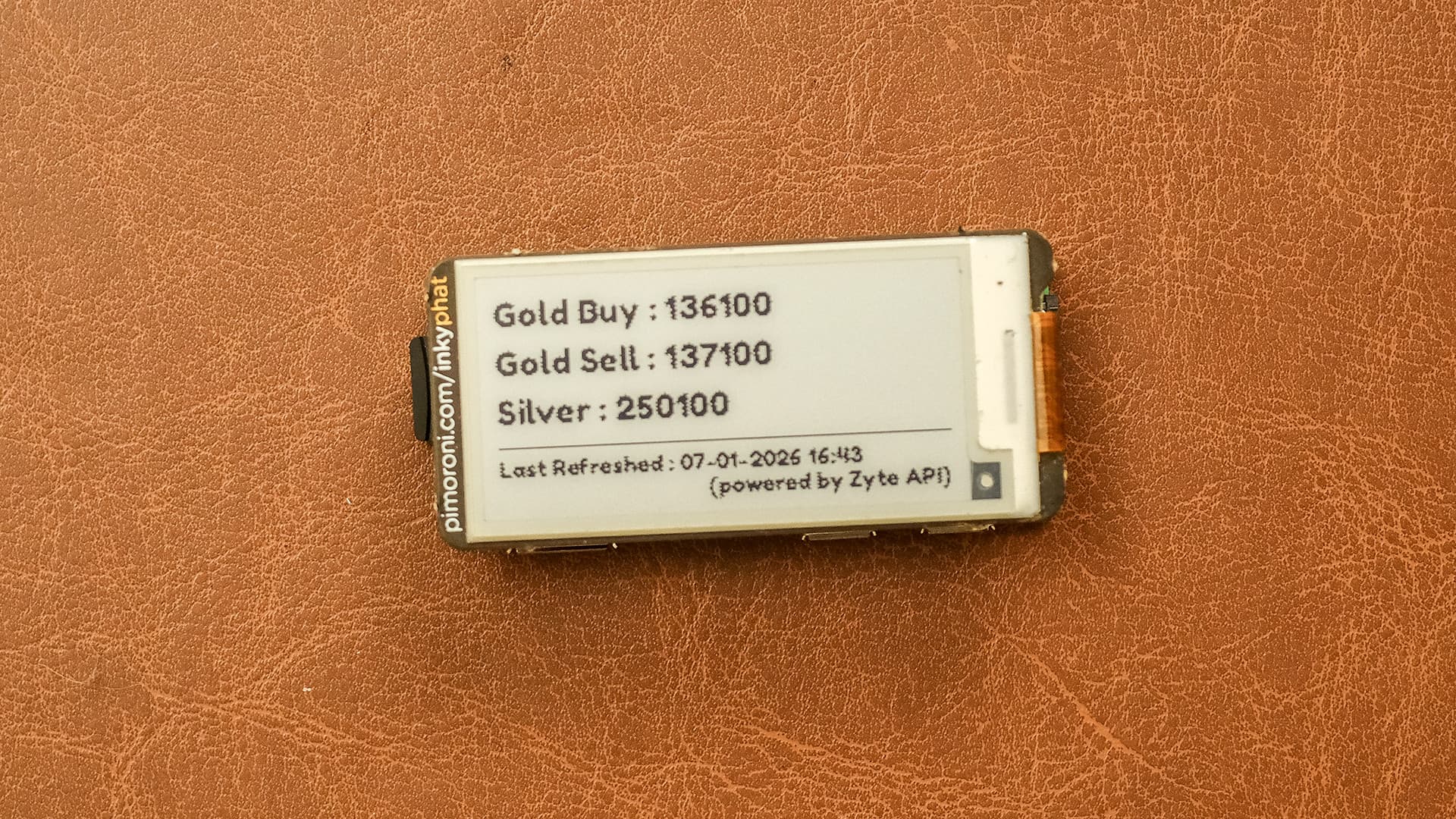
I can further extend this to place automatic orders on the website and secure me a coin at my desired strike price.
If you want to take this further, you could also:
Run it via cron every 10 minutes. The website I am targeting only refreshes prices twice a day, so my cron job runs every 12 hours, but, if you need faster data, you can scrape a site with more real-time updates.
Add more commodities or currencies.
Turn it into a systemd service to run at start time.
Swap e-ink for another output (PDF, LED, dashboard).
If you’re exploring Zyte API, or looking for real-world scraping examples beyond CSVs and JSON files, this project is a great place to start.
You can get my code in the ExtractToInk GitHub repository now.