Every new agentic coding tool arrives with a version of the same implicit promise: this one will change how you build. I spent a good part of last year installing tools on that promise, configuring them, hitting their limits, and then either reaching for the next release or quietly uninstalling and going back to basics. The result, for a while, was a collection of half-configured assistants that each needed babysitting before they could help with anything.
What I have now is a battle-tested setup that survived that process, not because the tools are exceptional in isolation, but because I made deliberate choices about what each one is actually for, what it is not for, and how they hand off to each other. I work on main projects at Zyte, my side projects, and often experimental work to keep myself up to date, and this setup handles all three without requiring reconfiguration between them. This is that setup: the tools I kept, the habits that hold it together, and the reasoning behind each decision.
My unfair advantage
Before diving into the setup itself, I want to say something about what actually makes an agentic setup work, because it is not the tools.
I have been writing code for more than a decade, starting with Embedded C and C++ then gradually moving to higher-level languages like Python and more recently into web scraping. That background means I can usually tell when an agent is on the right track, when it is hallucinating, confidently producing something plausible but wrong, and when it is about to do something I will spend the next hour undoing. I do not need to read every line it writes to know whether the approach is sound. That accumulated judgment is the unfair advantage: years of building a mental model of how code actually behaves, which now applies directly to supervising what an agent produces.
Your skillset will be different, and your setup should reflect that, for ex- If you have spent years doing SEO, your advantage is knowing precisely what good output looks like, what a manipulable signal looks like, and what an agent is getting subtly wrong before the metrics catch it. There are already excellent SEO-specific Claude skills available, and building a team of sub-agents around them (one for technical audits, one for content, one for structured data) with your domain knowledge as the quality filter is a genuinely powerful setup. If your background is in data engineering, you know what a clean pipeline looks like and what a silently broken one looks like, which is exactly the kind of judgment an agent cannot supply for itself. If you come from finance, security, or product management, the same principle holds.
The point is not that deep coding experience is required. Agentic tools amplify whatever domain judgment you already have. Think about where that knowledge lives in your case, and build your setup around it rather than copying someone else's wholesale. Everything in this post is what works for me and my context. Take what fits and ignore the rest.
The workspace that opens itself
The first friction point I fixed was the startup ritual. Every morning I was opening VS Code, arranging panels, launching a terminal, opening Claude Code, and getting everything positioned before I could do anything useful. Five minutes of overhead that was really ten minutes once you account for the mental cost of doing it on autopilot.
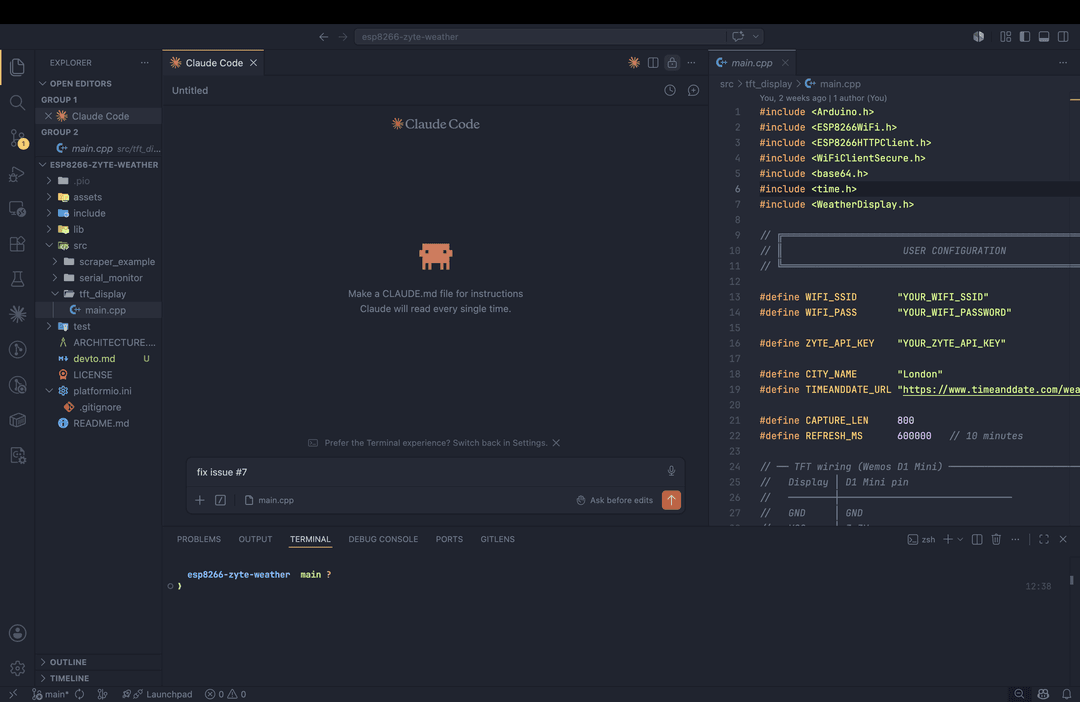
I now have a cw function in my ~/.zshrc:
1cw() {
2  local dir="${1:-.}"
3  code "$dir"
4  sleep 3 && osascript -e '
5    tell application "Visual Studio Code" to activate
6    delay 0.5
7    tell application "System Events"
8      key code 53 using {command down, shift down}
9      delay 0.3
10      key code 50 using {control down}
11    end tell
12  ' &
13}Now I just have to type cw in any directory and VS Code opens in that directory, then AppleScript fires after three seconds to focus the window and drop you straight into the terminal panel where Claude Code is waiting. One command, full workspace ready.
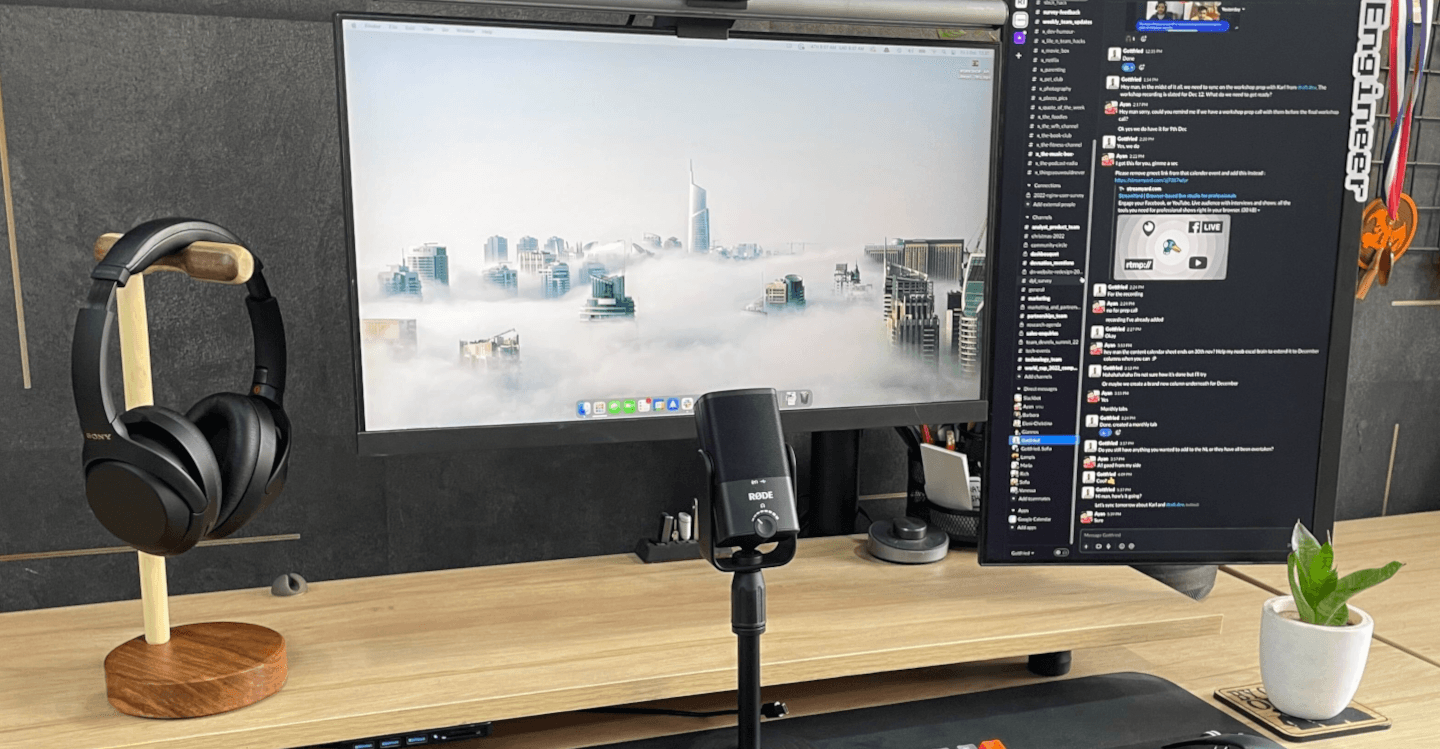
The layout is fixed: file explorer on the left, terminal strip at the bottom, the agent chat panel in the middle, and outputs on the right. The chat pane is centered, not tucked in the sidebar, and that placement is deliberate. When the agent is your primary collaborator, putting it in the sidebar demotes it spatially. The center position is a constant reminder that orchestration is the primary activity and everything else supports it. For inline code review without breaking context, the Codex plugin for Claude runs directly in the editor.
Plan first, always
The habit that improved my output more than any tool was deciding that every task, regardless of scale, starts in plan mode before any file is touched. No exceptions.
Plan mode forces the agent to surface its assumptions, propose a concrete approach, and wait for sign-off before it touches anything. The default behavior of most agentic tools is to start executing immediately, and high-confidence execution in the wrong direction is the failure mode I have run into most. The agent is rarely wrong because the code is bad; it is wrong because it interpreted the brief differently than I intended, and three minutes of planning would have caught the gap.
I did not arrive at this habit entirely on my own. Dario Amodei, CEO of Anthropic, mentioned in a podcast that he spends the majority of his time in plan mode when working with Claude, and that once the plan is solid the actual execution becomes relatively straightforward. That framing stuck with me. If the person building the model treats planning as the primary activity, it is probably worth taking seriously.
For tasks where the problem is still fuzzy in my own head, I dictate into plan mode using WisprFlow. This is not just a comfort choice as I have noticed consistently that my spoken prompts produce better results than my typed ones: speaking forces me to construct a full sentence rather than tapping out a telegraphic shorthand, and that extra formality in the brief translates directly into more precise agent output. Describing the problem, the likely approach, and any constraints out loud usually clarifies the brief before the agent has responded, which means the plan mode exchange is a confirmation rather than a negotiation.
Something I have been testing recently on the planning side: Claude Code's /goal command. The idea is straightforward: before anything else in a session, you set a high-level goal that the agent holds as a persistent north star throughout all its subsequent actions. Where plan mode answers "how do we approach this specific task", /goal answers "what is this entire session ultimately in service of." I came across the same concept in Codex and liked the forcing function it created: it keeps a long session from gradually drifting away from what you actually opened it to achieve. I am still finding the edges of how to use it well, but the principle is sound: the more clearly you can state what done looks like before the first message, the less corrective steering you need to do mid-session. If you try it, be specific: "refactor the auth module to remove the session token storage" will serve you better than "clean up the auth code."
Two tools, different jobs
One thing worth saying before getting into the specifics: the agentic coding space is moving faster than almost any other area of software right now. Every major provider is shipping changes to tooling, pricing, context limits, and model capabilities on a cadence that would have seemed unrealistic two years ago. That pace is exciting, but it also means that going completely all-in on a single vendor is a real risk. If one provider changes pricing, deprecates a model, or ships a breaking change to their CLI, a setup that depends entirely on them stops working. The practical response is to not let that happen: maintain flexibility, keep alternatives warm, and make sure switching costs stay low.
My primary tool is Claude Code CLI with official Anthropic models, and it is where the majority of my serious work happens. I run it on the Claude API pay-per-usage plan, which means I pay for what I use and nothing beyond that. No monthly seat fee accumulating on days when I am not writing code, and no "I am already paying for it" pressure to keep the agent running past the point of diminishing returns. I also keep Codex in the mix via the Mac desktop app, not as a replacement, but as a parallel tool I use enough to stay current with how it is developing.
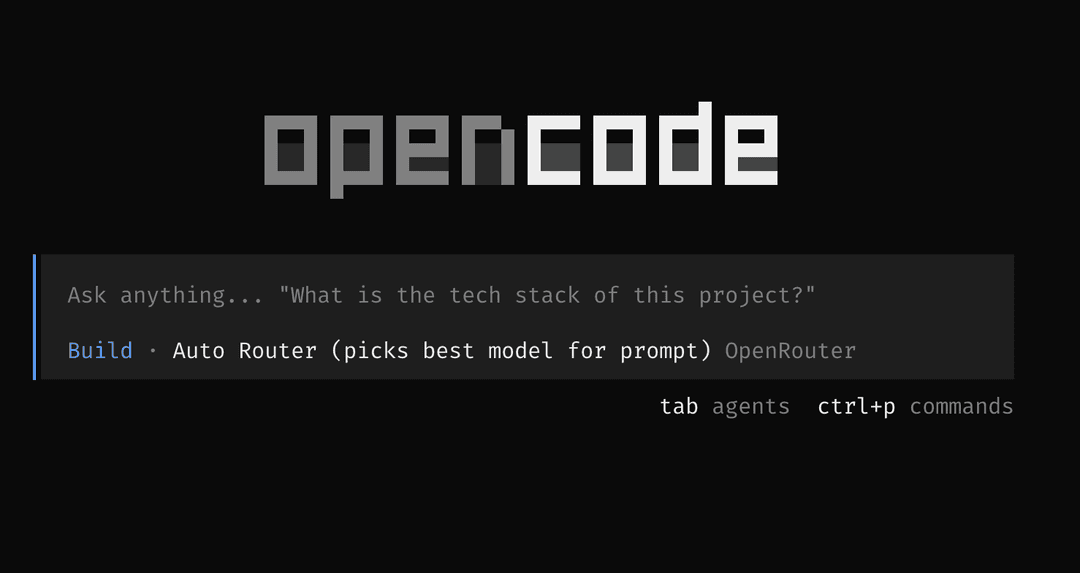
For model experimentation and usage overflow, I use OpenCode with OpenRouter. This is the experimentation layer and, frankly, the hedge against vendor lock-in. When a new model appears and I want to try it against a real task before committing to it in my main workflow, I reach for OpenCode. My ~/.aliases file has eight model shortcuts that make switching a single word in the terminal:
1alias oc='opencode --model openrouter/anthropic/claude-sonnet-4-6'
2alias oc-ds='opencode --model openrouter/deepseek/deepseek-chat-v3-1'
3alias oc-free='opencode --model openrouter/deepseek/deepseek-r1:free'
4alias oc-qwen='opencode --model openrouter/qwen/qwen3-coder'
5alias oc-gemini='opencode --model openrouter/google/gemini-2.5-pro'
6alias oc-opus='opencode --model openrouter/anthropic/claude-opus-4-7'
7alias oc-cost='opencode --usage'
8alias oc-stats='opencode --stats'oc-cost and oc-stats are not cosmetic shortcuts - the pay-per-usage model only works as a cost discipline if you can see what you are spending.
OpenRouter also has an auto-router option (openrouter/auto) that selects the best available model for each prompt automatically, which is genuinely useful when you are unsure which model fits a task and do not want to think about it. My opencode.json config defines three routing entries that cover the main scenarios:
1"openrouter/auto": {
2  "name": "Auto Router (picks best model for prompt)",
3  "tool_call": true,
4  "limit": { "context": 200000, "output": 8192 }
5},
6"openrouter/free": {
7  "name": "Free Router (picks best free model)",
8  "tool_call": true,
9  "limit": { "context": 128000, "output": 4096 }
10},
11"openrouter/pareto-code": {
12  "name": "Pareto Code Router (auto-routes coding tasks)",
13  "tool_call": true,
14  "limit": { "context": 200000, "output": 8192 }
15}auto is the general-purpose router. free picks the best available free model, which is what I reach for when testing something throwaway. pareto-code is a coding-specific router that OpenRouter maintains separately, optimized for code tasks rather than general prompts.
Beyond Claude overflow, I use OpenRouter's free tier for testing with tools like OpenClaw and the Hermes agent, where spending money on a model I am just kicking the tires on makes no sense. This side of the setup is almost entirely for side projects and learning how different models actually behave on real tasks rather than benchmarks. My personal ranking after a fair amount of experimentation, in order: Qwen3 Coder, DeepSeek, MiniMax, Kimi, and Gemma. Qwen and DeepSeek are consistently good on code; MiniMax and Kimi are worth watching for longer-context tasks; Gemma punches above its weight for its size.
A note for developers still on Claude Pro ($20/month): the plan uses rolling usage windows that reset approximately every five hours. If you plan to code from 10AM, send Claude a short message at 7 AM. Your window is available and will reset right as you sit down, and the next reset lands around 5 PM, which means you can run more than 1 session from morning through the evening without hitting a cap mid-task. The exact window length has shifted with recent Anthropic updates, so check your own account to calibrate, but the principle holds: prime your session before you need it, not after you have already hit the limit. Since switching to pay-per-usage I no longer need this trick, but it was genuinely useful for the two years I ran on the flat-rate plan.
The four-agent team
Running a general-purpose agent at every task is a bit like asking one person to handle architecture, implementation, code review, and codebase archaeology simultaneously, and expecting them to be equally good at all four. I took inspiration from Gary Tan, CEO of Y Combinator, who described his own layered agent stack (which he calls GStack) as a way of giving each model a specific role rather than asking one model to do everything. I am not using GStack directly, but the framing shaped how I think about agent design: specialize the agents, not the prompts.
In OpenCode, I have defined four named agents, each with a specific model, a specific role, and a specific permission scope.
@architect runs on Claude Sonnet 4.6 and is read-only: no edit or bash access. It asks clarifying questions first, then produces ASCII diagrams and a numbered implementation plan. When it needs to understand the codebase before it can plan, it invokes @scout. The output is written to be clear enough for a junior developer, or for a cheaper model like DeepSeek, to execute without interpretation.
@scout runs on Gemini 2.5 Flash with a one-million token context window and is also read-only. It traces call chains, maps data flow, and produces structured reports with full file paths and line numbers. The large context window makes it the right choice for reading substantial portions of an unfamiliar codebase without losing thread.
@coder runs on DeepSeek V3.1, configured at 40 steps and temperature 0.1. It follows the architect's plan exactly and does not extend scope. Before marking any task complete, it invokes @reviewer.
@reviewer runs on Qwen3 Coder, is read-only, and works through a fixed priority order: security vulnerabilities first, then logic errors, missing error handling, performance bottlenecks, and finally code clarity. It cites exact file paths and line numbers for everything it flags.
The permission constraints are what most people skip, and they are what matter most. A read-only agent cannot accidentally delete files or run shell commands, which limits the blast radius when an agent misreads an instruction. In Claude Code, I apply the same model-tiering logic via the native multi-agent orchestrator: Claude Opus 4.7 for planning, Claude Sonnet 4.6 for execution, and Claude Haiku 4.5 for admin tasks like git summaries and log triage. For the heaviest parallel projects, I use Conductor, which runs multiple Claude Code and Codex instances across separate areas of a codebase without context bleed between them.
A word on scale: I am not trying to run 20 agents across 10 projects simultaneously, and I am not optimizing for that. At any given time I work across two or three projects at most, because beyond that I notice the creative block creeping in and the context-switching cost becoming real. Four concurrent agents is my personal ceiling before things start feeling chaotic rather than productive. Running more agents than you can coherently supervise is not a productivity gain; it is just noise with extra steps. The right number is the one where you still know what each agent is doing and why.
Teaching agents to remember: the CLAUDE.md file
Here is the thing nobody tells you when you start using agentic tools seriously: the agent forgets everything between sessions. Every conversation starts from zero. Your project conventions, the architectural decisions you made three weeks ago, the one gotcha in the authentication middleware that will silently break if you touch it: gone. The agent does not know any of it unless you tell it again.
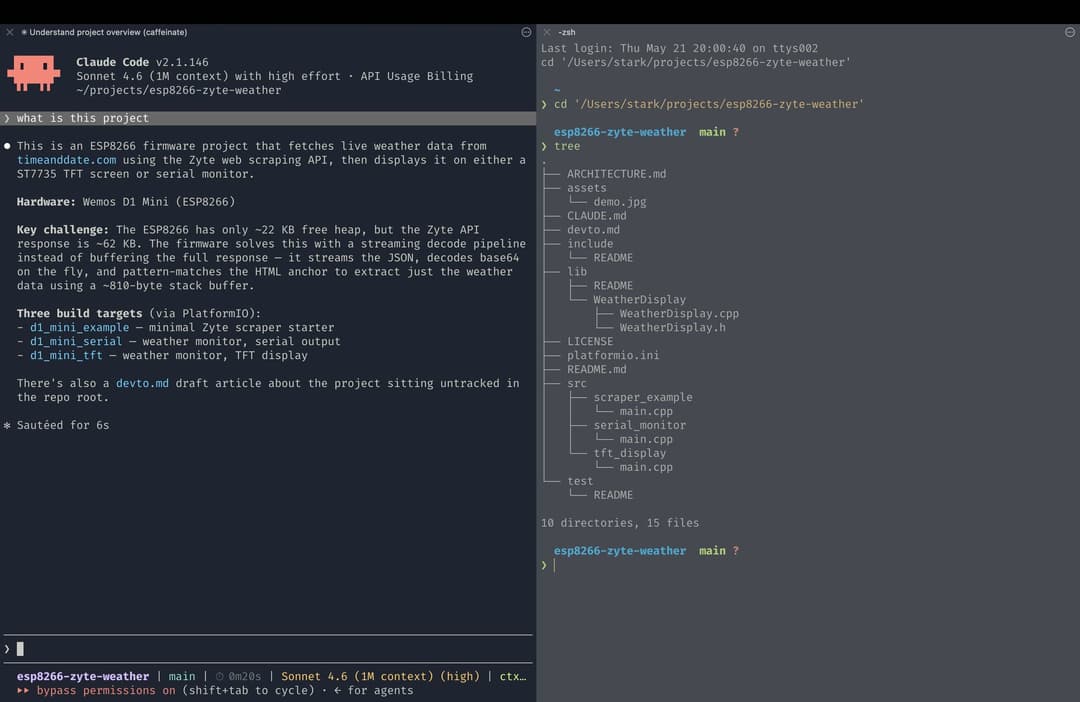
The fix is a CLAUDE.md file in the root of every project. Claude Code reads this file automatically at the start of each session, which means it walks into the codebase already briefed: how the project is structured, what conventions to follow, what not to touch, and why certain decisions were made. It is the difference between starting a session with a junior developer who has never seen your codebase and starting a session with one who was briefed before they arrived. I include things like folder structure, key design decisions, known gotchas, and any non-obvious constraints. What is not in that file will surface at the worst possible time, usually when the agent is three files deep into something it should not have started. I have learned this lesson more than once.
There are actually two levels of CLAUDE.md worth maintaining separately. The per-project file, described above, carries context specific to that codebase. But there is also a global CLAUDE.md at ~/CLAUDE.md that Claude Code reads across every session, regardless of project. This is where the universal stuff lives: how you like responses formatted, code style preferences that never change, recurring patterns you reach for project after project. The smartest way I have found to populate it: ask Claude directly. Open a session after you have done a few projects and ask it what it has noticed you doing repeatedly across different codebases — preferences, habits, corrections you keep making. The answer is usually more accurate than anything you would write from memory, and it goes straight into the global file. You only have to do that calibration once, and every future session inherits it.
The same logic of "define it once, reuse it forever" applies to custom slash commands. Claude Code lets you create your own /commands by dropping a markdown file into .claude/commands/ inside a project, or into ~/.claude/commands/ for commands that travel with you globally. Anything you find yourself prompting repeatedly is a candidate: I have a /pr command that opens a pull request with a consistent format, a /review command that runs a code review against a checklist I care about, and a /standup command that summarizes what changed since the last commit in plain language. The rule of thumb is the same as for skills: if you have typed the same instruction more than twice, it should be a command. The overhead is a single markdown file; the return is that you never type it again.
In practice, this shapes how I move between tasks. One session handles one specific thing, 95% of the time. When that task is done and I want to start something different, I update the CLAUDE.md first, capturing any decisions made, gotchas discovered, or context the next session will need, and then launch fresh. This is not a workaround; it is the actual workflow. Each session stays focused on exactly one thing, the context window never accumulates unrelated baggage, and the token cost stays predictable because the session ends when the task ends.
One thing I want to push back on slightly: the idea that more persistent memory is always better. The "second brain" framing — building an ever-growing knowledge base that carries everything forward — is appealing in theory, but I have found clean starts genuinely valuable. A fresh session with a tight, well-written CLAUDE.md is often sharper and more focused than a long session carrying the accumulated noise of everything that came before. Starting fresh is not a disadvantage; sometimes it is the whole point. This is especially true when starting a brand new project: no CLAUDE.md, no prior context, no assumptions inherited from a different codebase. The agent approaches it with the same clean slate you do, which means nothing from the last project bleeds into this one. That is not a limitation of the tool; it is the right default. The CLAUDE.md approach hits the balance I actually want: enough persistent context to orient the agent quickly, without the clutter.
When the context window fills up
Agentic coding sessions on complex tasks will, eventually, produce a context window that is full or close to it. The agent's effective memory degrades as the window saturates, and you start getting responses that feel slightly off, repetitive, or strangely overconfident about something it got wrong two thousand tokens ago.
Claude Code handles this with automatic context compaction, which summarizes earlier parts of the conversation to make room. For sessions where I want manual control, I use the /compact command to trigger a summary on demand. When even that is not enough, the bluntest tool available is the right one: start a fresh session, point at the CLAUDE.md file, and re-brief the agent on exactly where the previous session left off. It feels a bit caveman, but a focused, fresh session outperforms a saturated long one almost every time. My experience is that a 10,000-token focused session produces better output than a 100,000-token sprawling one that has lost the thread.
Web scraping: where the Zyte layer comes in
Web data is not optional for serious agentic workflows. Agents that can research, verify facts, monitor changes, track competitors, or enrich datasets with live information are dramatically more useful than agents working from static knowledge alone. The web is the data source.
The problem is that the web does not cooperate equally. Some pages render entirely in JavaScript and return nothing useful to a basic HTTP request. Others sit behind rate limits, bot detection, or login walls. Some block entire cloud IP ranges outright. An agent that tries to fetch a page and gets a 403, a challenge page, or a JavaScript shell with no content is effectively blind, and it will usually not tell you that clearly; it will just work with whatever it got. For the straightforward cases, Claude's built-in browsing is fine. For anything beyond that and for cases where you need tons of structured data, following pagination, you need a layer that actually understands how modern websites are built and how to get through them reliably.
That is where Zyte's tooling earns its place. For web scraping work, the setup picks up a layer specific to Zyte's tooling. Zyte publishes an official set of Claude Code skills at github.com/zyte-ai/claude-skills, installable in two commands:
1claude plugin marketplace add zyte-ai/claude-skills
2claude plugin install zyte-web-data@zyte-aiOnce installed, the skills slot into Claude Code as slash commands and activate automatically on relevant prompts. The ones I reach for most are:
- /scrape: end-to-end workflow from a URL to a working Scrapy spider with web-poet page objects; this is the one you use when you just want to hand Claude a URL and a description of what to extract
- /scrape-define: downloads a single detail page, discovers extractable fields, and iterates on the schema in the terminal until you approve it; good for quickly scoping what a site can give you
- /scrape-explore-site: crawls from a start URL and saves a diverse set of pages (start, list, and detail) with classified links; useful before committing to a schema
- /scrape-codegen: takes an extraction spec and generates the web-poet page object code; the output of /scrape-define feeds directly into this
- /scrape-scrapy-cloud: deploys projects, schedules spiders, manages jobs, and surfaces logs and items from Scrapy Cloud, all from the terminal
Zyte Claude Code plugin video
The skills complement Web Scraping Copilot and are designed to pick up scraping prompts automatically, so you do not need to invoke a specific command for routine requests. If you are curious how these fit into a broader workflow, the post on supercharging web scraping with Claude skills covers the combination in detail.
Almost everything I do with my agents is git-tracked, including personal side projects. On MCP servers versus CLI tools: my standing rule is to reach for a CLI tool first and add an MCP server only when there is genuinely no CLI equivalent. MCP servers add indirection between the agent and the tool, and that indirection is not free: it makes the toolchain harder to audit, harder to debug, and slightly more likely to produce ambiguous outputs. If you are weighing your options, the comparison of Claude skills, MCP, and Web Scraping Copilot is worth reading before committing.
One area where I have been rethinking the default recently is web search. Most agents fall back to keyword-based search, which is fine for locating a documentation page but falls apart when an agent needs to do actual research. I came across Exa at a local developer meetup, and it is built specifically for AI agents using semantic search rather than keyword matching, which produces noticeably better results when the agent needs to find conceptually related content rather than an exact phrase. The catch, and the reason I have not fully switched over, is that Exa currently only offers an MCP server and not a CLI utility. That puts it in direct conflict with the CLI-first rule: every time the agent invokes an MCP server there is a context switch, a round-trip, and a small but real cost in time and tokens that adds up over a long session. So for now I enable Exa selectively on projects where deep research is a core part of the work, and fall back to Claude's built-in search everywhere else. I am still exploring it, and if a CLI lands I will probably use it much more broadly.
The last piece of the scraping layer is what I think of as the objective metric loop. Before running the agent on a scraping task, I define a concrete, measurable target: field fill rate above 95%, zero extraction errors across 100 test URLs, or a specific field-level accuracy requirement. The agent runs, the output is evaluated automatically against that metric, and I re-prompt with the delta. The loop continues until the metric is hit, not until the code looks right on inspection. "Looks right" is not a metric.
A few personal principles
These are not best practices from a blog post. They are things I arrived at through repetition, usually after doing the opposite first.
Stop obsessing over prompts. Models are meaningfully smarter than they were twelve months ago, and they will be smarter again in twelve more. A clear, complete description of what you want is almost always sufficient today. Intricate prompt engineering made more sense when models were brittle; spending that energy on your workflow instead will compound better.
Anything done twice should become a skill. If you have guided an agent through the same process more than once, it belongs in a skill file. A skill is a reusable, well-described prompt with clear inputs and outputs. The overhead of writing one is low; the compounding return is not.
Each skill should do exactly one thing. A skill that researches a topic, writes a script, and suggests titles is three skills waiting to be separated. Single-purpose skills are easier to debug, easier to improve, and much easier to reason about when something breaks.
Skills can be chained into workflows. Three separate skills (research the next video topic, write a script from the research, suggest titles from the script) can be combined in sequence to produce a full workflow while remaining individually useful and testable. The composition is more flexible than a monolith, and any one skill can be swapped out without rebuilding everything.
Bundle custom scripts with the skills that need them. If a skill depends on a helper script (a parser, a formatter, a validator), keep it in the same directory. Skills that rely on tools scattered elsewhere become fragile. Skills that travel with their dependencies stay portable.
The rest of the bench
Not everything in my setup is fully integrated or daily-use. A few tools I keep within reach at different stages of exploration:
ChatGPT (GPT-5 and above) is where I go for conversational research: thinking through a problem in plain language, getting a second opinion on an approach before committing to it in code, or just having a broad discussion that would clog an agentic workflow. Not everything needs an agent.
Perplexity covers manual search and research where I want cited sources rather than a generated answer. I am also currently poking at Perplexity Computer, though it is genuinely early days and I do not have a settled opinion on it yet.
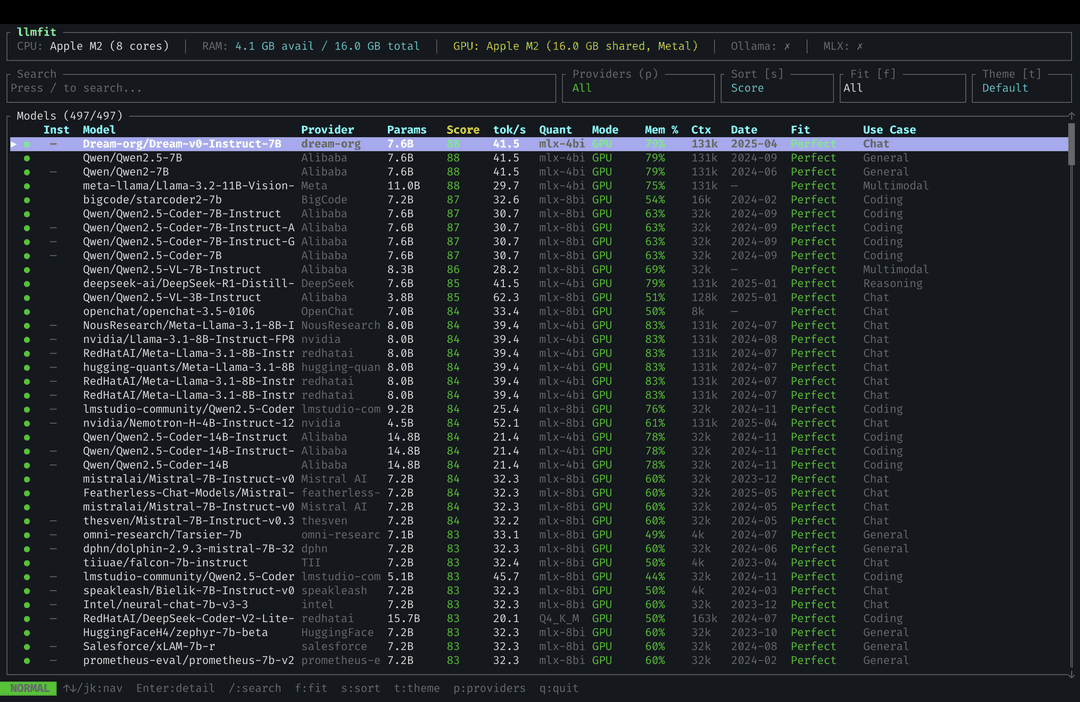
Local LLMs via LMStudio and Ollama, used for offline experimentation. I will be honest: my current hardware is the constraint, not the tooling. Running anything genuinely capable locally is a stretch on my machine. If you are in the same position and want to know what you can actually run before committing to a download, llmfit is a handy utility that evaluates your system specs and tells you which models are feasible, and worth running before you spend an afternoon downloading a 70B model that will not fit in your RAM.
Pick one thing
The setup works because of the discipline behind it, not the tools themselves: plan before executing, give agents only the permissions they actually need, write the CLAUDE.md file before you need it (not after), evaluate against metrics rather than impressions, and restart aggressively when the context window is saturated. Most of what I have described here is free or pay-as-you-go, and none of it requires a large upfront commitment to try.
If you are coming to this fresh, pick one piece rather than the whole stack. Enforcing plan mode before every task will return more value more quickly than any new tool installation, and adding a CLAUDE.md to a project you a
lready work in will pay off in the first session. If you work with Scrapy and want to add the web scraping layer that connects this setup to Zyte's toolchain, the Zyte free trial is where to start.
There is more to cover — the Karpathy metric loop in more depth, how I use CLAUDE.md across different project types, and how the local LLM setup is evolving as hardware catches up. If any of that sounds worth a Part 2, let me know in the comments. And if you want to stay across what the team at Zyte is building, subscribing to the Zyte newsletter means you will not miss it.
Want to be kept up to date?
Zyte Community