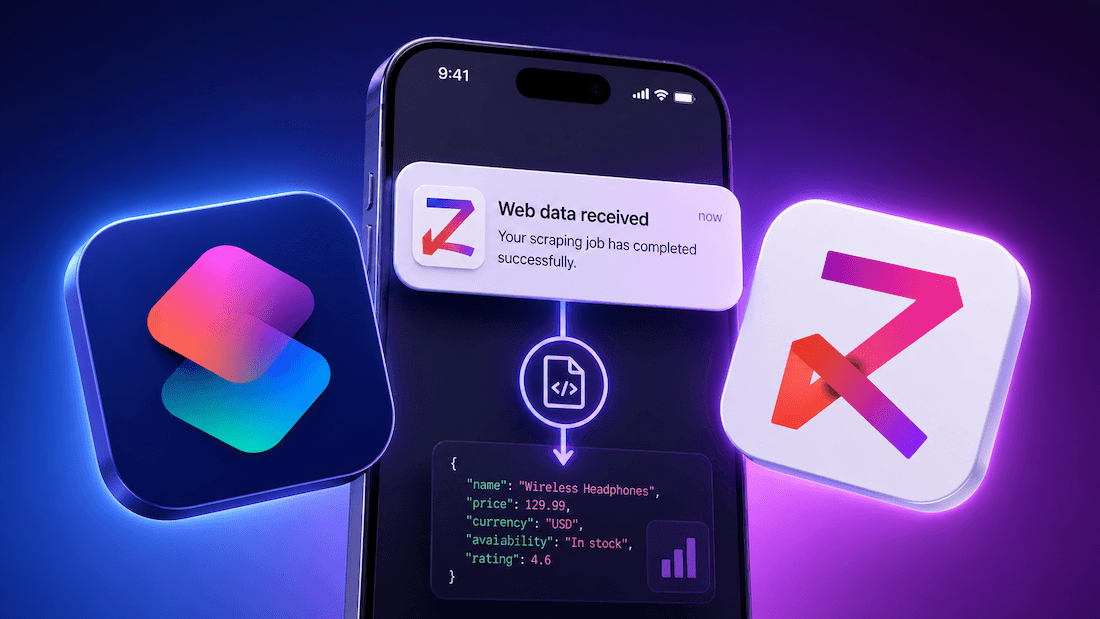
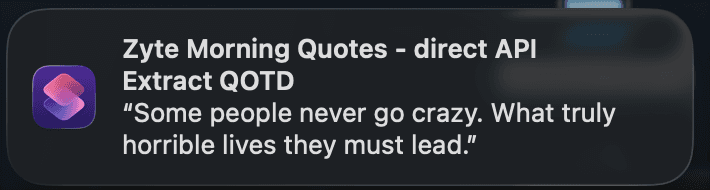
Imagine waking up to a notification on your iPhone with a fresh quote for the day. No app to open, no feed to scroll through. Just a quiet ping, a line of wisdom, and you're off.
Now imagine that notification was powered by a live web scrape that ran automatically while you slept.
Here's the thing: that is exactly what I’ve built, using only Apple Shortcuts and Zyte API. No third-party apps, no Python environment, no server - just an iPhone and a single API call.
Web scraping is just an API call
Most people think of web scraping as a Python script hammering URLs from a server. And for a long time, that was the mental model: install a library, write a parser, fight CAPTCHAs, rotate proxies, and hope for the best.
Zyte API flips that model. Instead of building scraping infrastructure, you make a single POST request and get back clean data. Zyte handles the unblocking, the browser rendering, and the anti-ban mechanics so you do not have to.
That means web scraping is no longer tied to a specific tool, language, or machine. Any device that can make an HTTP request can scrape the web - a bash script, a Jupyter notebook, a serverless function, a Node.js app, or, as we are about to show you, an iPhone shortcut.
What we're building
We are going to build a shortcut that does the following every morning:
- Picks a random page from quotes.toscrape.com, a sandbox site with 100 quotes across 10 pages.
- Sends that URL to Zyte API, which returns the page HTML.
- Extracts a random quote using a regex match.
- Fires an iPhone notification with the quote as the body.
The whole thing runs silently via Apple automations. No interaction required.
Building the shortcut, step by step
The shortcut has 10 blocks. Here is what each one does:
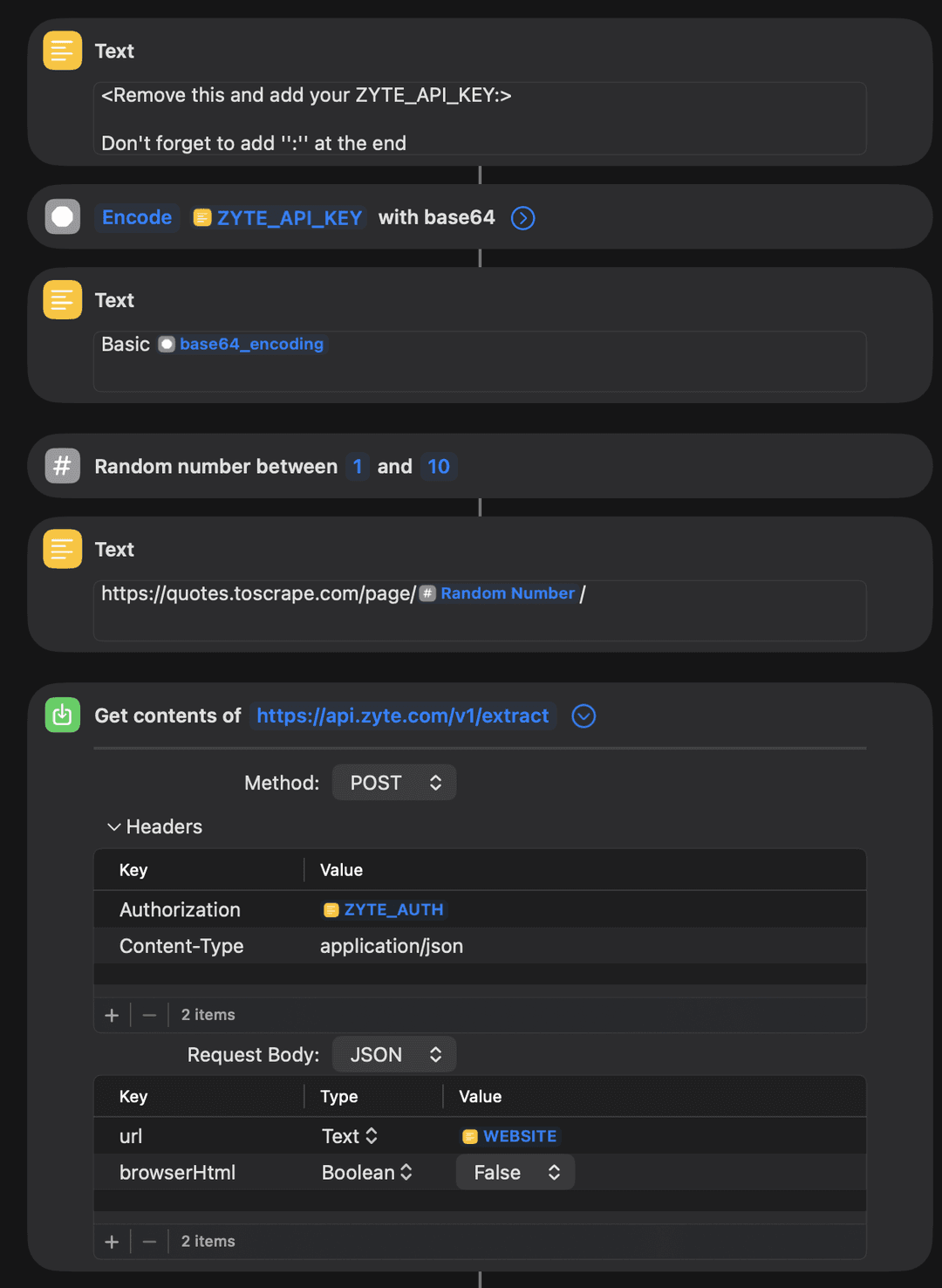
Block 1: Text (your API key) Add your Zyte API key here with a : appended at the end. That colon is required for HTTP Basic authentication and is easy to miss.
Block 2: Encode with Base64 The Shortcuts app requires the API key to be Base64-encoded before it can be used in an authorization header. This block does that encoding and saves the result as base64_encoding.
Block 3: Text (auth string) Builds the final authorization value: Basic <base64_encoding>. This becomes your ZYTE_AUTH variable.
Block 4: Random number Generates a random whole number between one and ten. This selects which page of quotes to scrape.
Block 5: Text (target URL) Assembles the full URL: https://quotes.toscrape.com/page/\<Random Number>/.
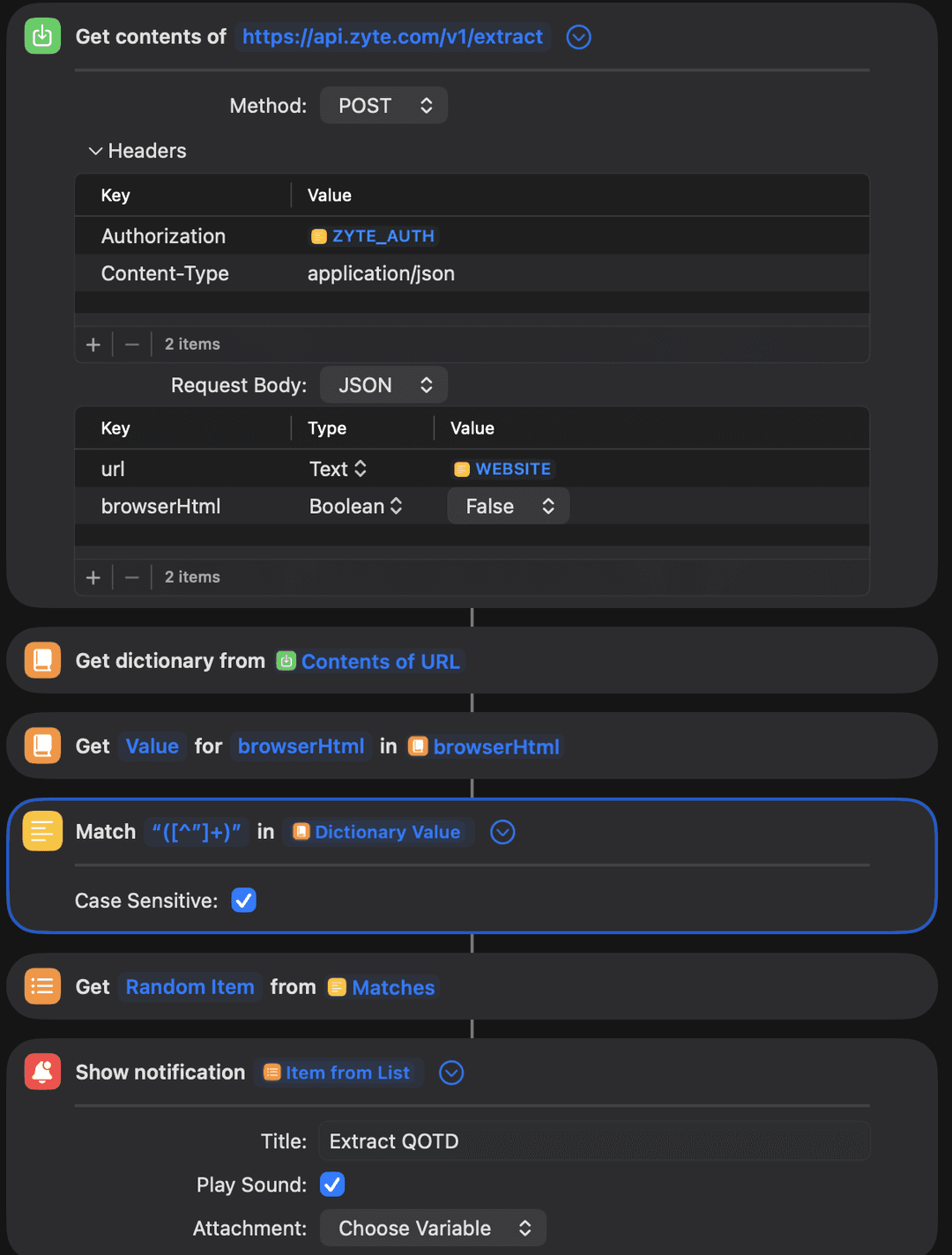
Block 6: Get contents of URL (the Zyte API call) This is the core of the shortcut. It makes a POST request to https://api.zyte.com/v1/extract with the following setup:
- Method: POST
- Headers: Authorization: ZYTE_AUTH, Content-Type: application/json
- Request body (JSON):
1{
2  "url": "https://quotes.toscrape.com/page/3/",
3  "browserHtml": false
4}Since quotes.toscrape.com is a static site (it does not render using JavaScript), browserHtml: false is fine. Zyte API fetches the raw HTML and returns it in the response.
Block 7: Get dictionary from response Parses the API response into a dictionary.
Block 8: Get value for browserHtml Pulls the raw HTML string out of the dictionary.
Block 9: Match text with regex Runs the pattern "([^"]+)+" against the HTML to extract all quoted text strings. This captures the quote content wrapped in standard HTML quote markup.
Block 10: Get random item, then show notification Picks one match at random and fires an iPhone notification with the title "Extract QOTD" and the quote as the body.
Give it a shot. Download the shortcut on your iPhone, iPad or Mac from here and get your Zyte API key from here.
Automate it: Wake up to a quote every morning
Running the shortcut manually is satisfying the first time. But the real magic is making it run itself.
- Open the Shortcuts app and tap the Automation tab at the bottom.
- Tap the + button and choose Personal Automation.
- From the list of triggers, pick Time of Day and set it to whatever time you want your morning quote to arrive.
- Tap Next, then search for and add a Run Shortcut action, and select your Zyte morning quotes shortcut.
- Tap Done.
That is it. Every morning at your chosen time, the shortcut fires, scrapes a fresh quote, and sends it to your notification center. No interaction required, no phone to unlock, just a quiet ping.
What else could you build?
Once you realize that any API call is a potential data source, the shortcut format gets a lot more interesting. A few ideas to get you thinking:
- Price drop alert: Scrape a product page daily and notify yourself when the price falls below a threshold
- News headline digest: Pull the top headlines from a news site each morning and get a five-item notification summary
- Sports score recap: Check last night's scores from a stats site and surface the result of your team's game
- Flight price tracker: Monitor a route and alert yourself when fares dip to your target price
Each of these follows the same pattern: one Zyte API call, one URL, structured data back, and a notification on your wrist or lock screen.
Try it yourself
Download the shortcut directly to your iPhone, iPad, or Mac: Download the Zyte Morning Quotes shortcut
Once it is installed, open the first Text block, swap in your Zyte API key (with : at the end), and run it. You should see a notification within a few seconds.
If you tweak the shortcut or build something entirely different using Zyte API, we would love to see it. Share it in the Zyte community and subscribe to the newsletter while you're there for more projects like this one.

.png&w=3840&q=75)