Scrapy MCP connects an AI agent, such as Claude Code, to a running Scrapy crawl. Built on the Remote Control extension introduced in Scrapy 2.19, it lets the agent discover jobs, check their status and run Python against the live crawler, all without restarting it.
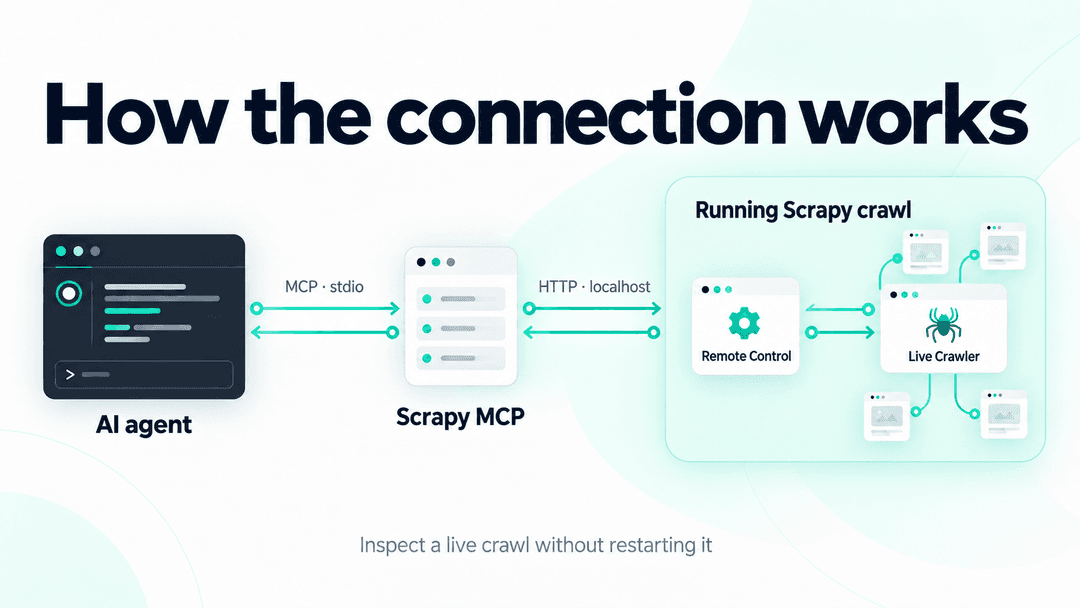
The extension opens a small HTTP server on localhost inside the crawl. It accepts Python code and runs it against the live Crawler instance. Scrapy MCP wraps that server in tools an agent can call directly.
The project describes itself as a structured, agent-oriented successor to Scrapy's telnet console, and that's a useful way to think about it. I got into the telnet console after talking to Shane Evans, Scrapy's creator, about it, and once I understood what it let you do, I spent some time with it myself and came up with a few interesting use cases of my own. It was built for a human typing commands into a shell, so it's good to see the same idea picked up and expanded by the Scrapy team, made more capable with async and more accessible than dropping into a live Python shell. Scrapy MCP keeps that access to a live crawl and gives agents an interface suited to it: jobs they can discover, responses they can parse and code execution they can call as a tool.
What it's for
The practical use is debugging a crawl while it is still going, instead of stopping it, adding logging and running it again.
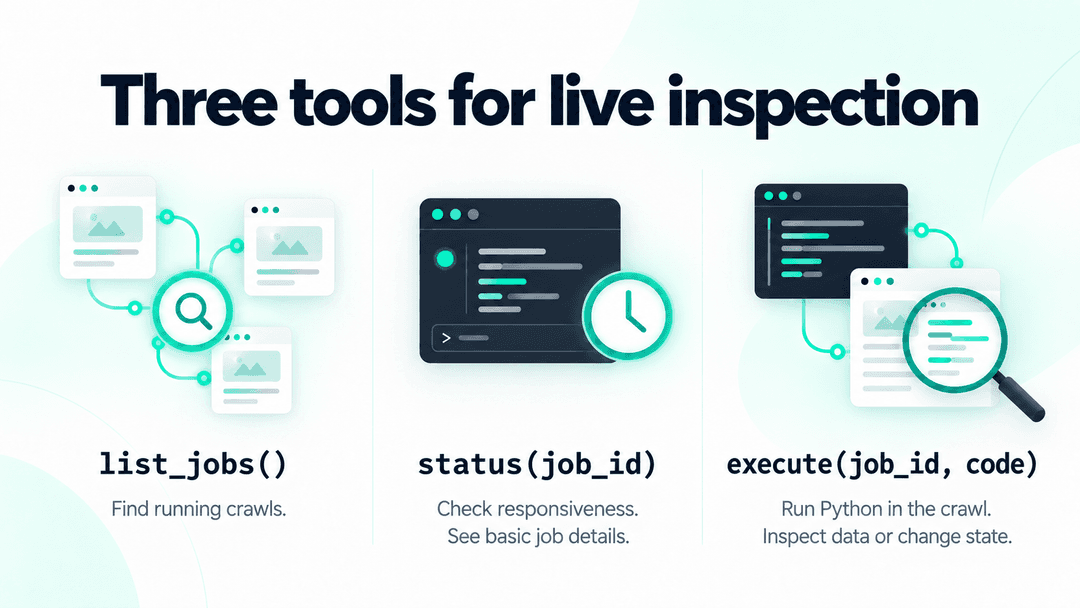
- Find running jobs.
list_jobs()discovers crawls by reading the connection files written by Scrapy's Remote Control extension, so the agent does not need a port or PID handed to it. If you have several scraping projects running at once, this is what lets the agent see all of them and work with any one of them from the same place, instead of you tracking down which terminal or process belongs to which spider. - Check a job's status.
status(job_id)checks whether a crawl is alive and responsive, and reports basic details such as the spider, project, Scrapy version, PID and uptime. - Inspect the live process.
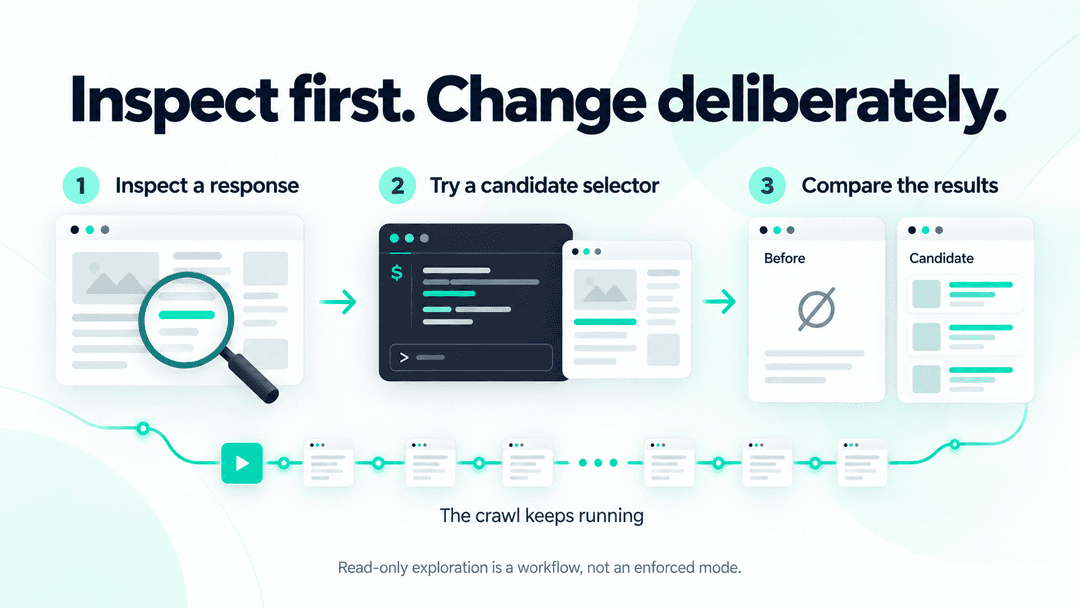
execute(job_id, code)runs an async Python snippet inside the crawl and returns its output. An agent can use it to inspect progress, request error rates, active downloads, settings and queues. It can also try a selector against a response held in memory or examine an item available in the process. - Explore before changing anything. An agent can try candidate selectors and compare results before modifying the spider. Read-only exploration is an approach, however, not an enforced mode:
execute()can also change or stop the running crawl.
This is particularly useful for long-running crawls that are behaving strangely: a queue that appears stuck, a selector that stopped matching after a site changed its markup, or a spider that is still running but no longer extracting useful data. Scrapy MCP lets an agent inspect what is happening while the problem is present.
How to get started
Two pieces need to be in place: a Scrapy version with the Remote Control extension, and the MCP server itself.
Requirements
- Scrapy 2.19.0 or later, with asyncio support enabled, the default configuration.
- Python 3.10+.
- The agent and crawl running on the same host. Automatic job discovery also expects them to run under the same user account.
The Remote Control extension is enabled by default in Scrapy 2.19 through the REMOTE_CONTROL_ENABLED setting. With asyncio support enabled, no additional crawl configuration is needed.
While the crawl runs, the extension listens on a random localhost port, authenticates requests with a bearer token and writes the connection details to a job file in the user's profile directory. Scrapy MCP reads these files to discover running crawls.
Installing the MCP server
With uv installed, register the server with Claude Code for your user account:
1claude mcp add --scope user scrapy-mcp -- uvx --from scrapy-mcp-official scrapy-mcpYou can also configure it per project through .mcp.json. The MCP server does not need to be installed in the Python environment used by the crawl.
Once it is registered, start a crawl as usual on Scrapy 2.19+. The agent can call list_jobs() to find it, status(job_id) to check that it is responsive, and execute(job_id, code) to inspect it.
There is also an inspection_reference() tool that provides guidance on how to inspect Scrapy's internals, including its object structure, common statistics, scheduler queues and patterns to avoid.
For a crawl that is misbehaving right now, Scrapy MCP gives you a way to investigate while the evidence is still there.