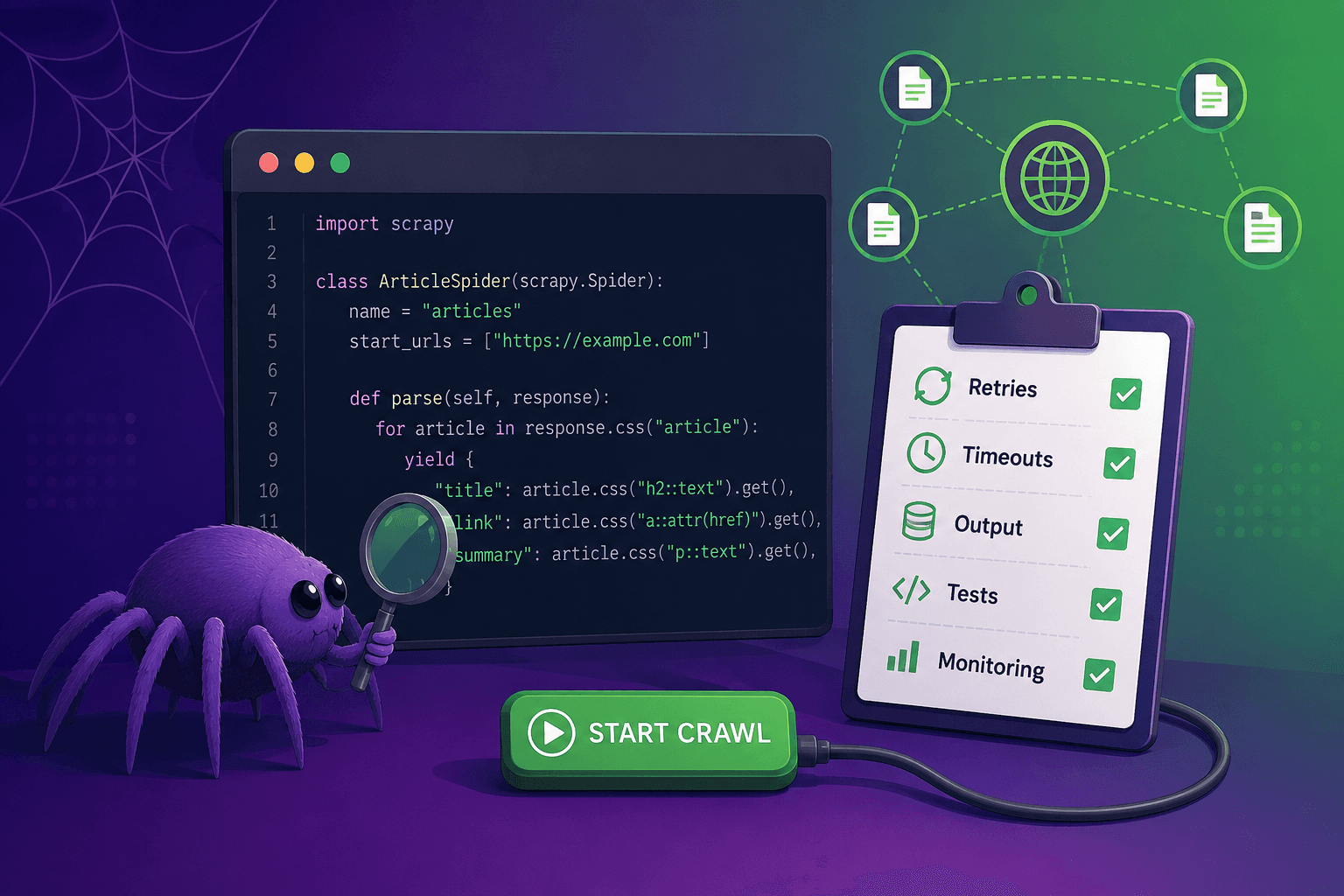
My spider looked finished. It had a name, a starting URL, a parse() method, and selectors that returned data on the sample page, so the natural next step was to run it against the site and see what came back. Yet the code contained no retry policy, no request timeout, no output configuration, no error callback, no extraction test, and a selector tied to the first child of a particular container. It was valid Python, and it was recognizably Scrapy, but it was not ready for the web.
That gap is becoming easier to encounter as coding agents make the first draft of a spider almost effortless. General-purpose assistants can produce plausible code quickly, but a plausible spider is not necessarily a maintainable scraping project, especially when the first successful response hides everything the code has not prepared for.
scrapy-spidey-sense is an open-source command-line interface (CLI) that checks a Scrapy project before the crawl begins. It performs local, static analysis, reports the production-readiness basics that are present or missing, assigns a score, and connects each finding to a practical fix or relevant documentation. It does not replace testing, monitoring, or engineering review. Instead, it gives developers a fast, repeatable review pass at exactly the moment when omissions are cheapest to fix.
Why a spider needs a preflight check
A generated spider usually optimizes for visible progress: find the title, extract the price, follow a product link, and print or yield a result. Production failures tend to live outside that happy path, in the slow response that never times out, the temporary error that is never retried, the selector that only works on one page variant, or the crawl that exits successfully without producing the expected data.
The solution is not to avoid AI-generated code. Specialized tools such as Web Scraping Copilot and Zyte Web Data for Claude Code can accelerate spider development while adding scraping-specific structure, fixtures, and tests. The practical challenge is that developers also inherit existing spiders, experiment with general-purpose coding agents, and write small projects by hand, so they need a consistent way to ask, “What did we forget?”
That question is the purpose of scrapy-spidey-sense. The checker looks for signals across the spider, project settings, extraction structure, tests, and monitoring, then converts those signals into an actionable report. Because the analysis is static, it does not run the spider or contact its target website, which makes it suitable for a local review loop and continuous integration (CI).
What scrapy-spidey-sense checks
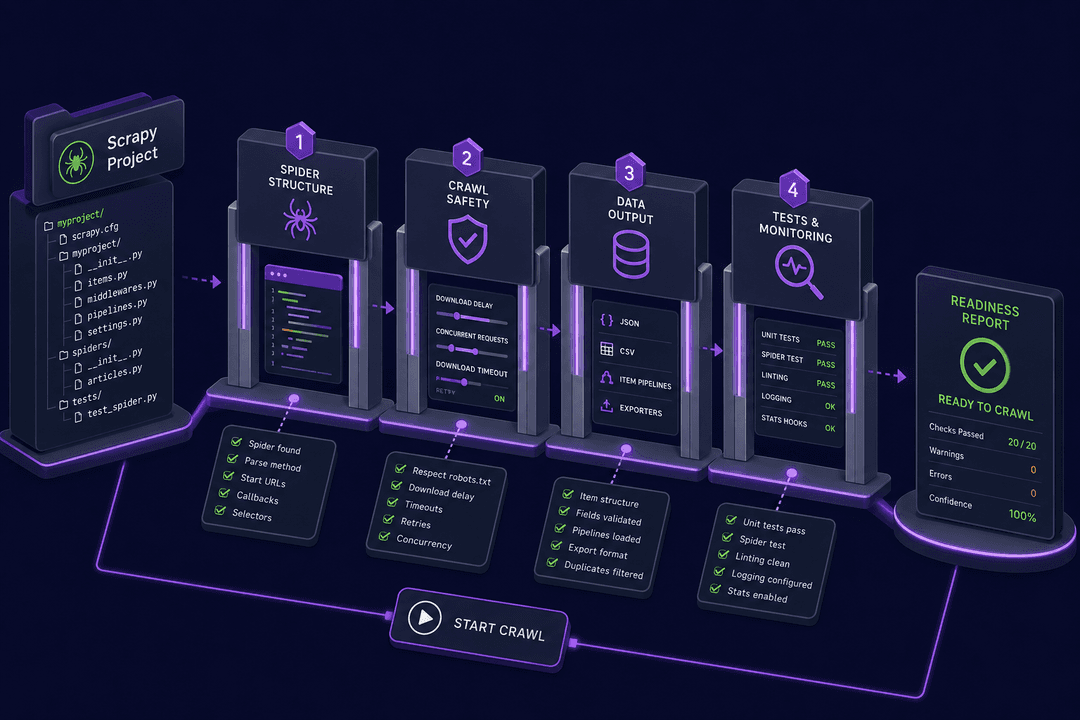
The current release organizes its checks around four layers of readiness.
First, it verifies the basic Scrapy shape. The tool finds projects through scrapy.cfg, resolves the configured settings module, detects common spider base classes and aliases, and checks each spider for a name, a parse() method, and either start_urls or start_requests(). It also looks for a callback that appears to yield or return an item or request.
Second, it inspects crawl behavior. A spider that only visits its starting page may be missing pagination or detail-page requests, while a project without errbacks may discard valuable failure context. The checker therefore looks for follow-up calls such as response.follow() and scrapy.Request(), as well as error callbacks attached to requests.
Third, it reviews project settings that make behavior explicit and predictable:
USER_AGENTRETRY_TIMESDOWNLOAD_TIMEOUTAUTOTHROTTLE_ENABLEDITEM_PIPELINESFEEDSLOG_LEVELROBOTSTXT_OBEY
The presence of a setting does not prove that its value is appropriate for every target. It does prove that the team has made a decision visible, which is more reviewable than relying on an assumption or an inherited default.
Finally, scrapy-spidey-sense checks for signs of a production extraction workflow: an explicit item schema, saved site analysis, separate listing and detail callbacks, page objects or extraction helpers, representative fixtures or smoke tests, and monitoring. These checks align with a broader workflow in which developers analyze the site, define the output, generate or write extraction code, and verify the result before deployment. If you want to build that workflow from the start, the post introducing production-ready scraping from a prompt] explains how Zyte Web Data for Claude Code handles those stages.
Run your first check
The project currently targets Python 3.9 and later. Clone the repository, create a virtual environment, and install the package in editable mode:
1git clone https://github.com/zytelabs/scrapy-spidey-sense.git
2cd scrapy-spidey-sense
3python \-m venv venv
4source venv/bin/activate
5python \-m pip install \-e . You can then inspect a full project or a single spider file:
1spidey check path/to/scrapy/project
2spidey check path/to/spider.py When run without a target, spidey check analyzes the current directory. The command prints a project summary, individual pass, warning, failure, and informational findings, followed by docs-backed suggestions and a score from zero to 100.
The repository includes an intentionally fragile Books to Scrape project that makes the first review concrete:
1spidey check demo\_projects/ai\_generated\_books\_to\_scrape \--plain \--no-animation With the current rules, that project scores 35/100 and receives the verdict “Spidey Sense is screaming.” The checker finds a functioning spider skeleton, but also detects no pagination or detail requests, no errback, placeholder text, a brittle selector, missing resilience and output settings, no extraction fixture, and no monitoring.
This is useful because the report does not collapse every problem into “bad spider.” Each finding explains why it matters and points toward a concrete response. For example, a missing download timeout links to the relevant Scrapy settings documentation, while missing request error handling links to the Scrapy errback documentation.
Turn the report into a review loop
The score starts at 100, subtracts 12 points for each failure and five points for each warning, and is clamped between zero and 100. Informational recommendations do not reduce the score. The resulting verdict bands are deliberately easy to interpret:
- 85 to 100: Web-ready
- 65 to 84: Almost crawl-ready
- 40 to 64: Crawlable, but not web-ready
- Zero to 39: Spidey Sense is screaming
The score is a prioritization aid, not a certification. Static analysis cannot know whether a selector matches the live page, whether a retry count is suitable for a particular website, whether the crawl is compliant with your policies, or whether the extracted records are complete and correct. It can, however, expose an omitted retry setting or missing test every time, without depending on a reviewer remembering the entire checklist.
A useful workflow is to run the checker immediately after generating or scaffolding a spider, address structural failures first, review warnings in the context of the target site, add fixtures and extraction tests, and run the checker again before opening a pull request. The included Nike Indonesia demo illustrates this progression: it has a more realistic listing and detail flow, explicit site analysis, and several crawl safety settings, so it scores 70/100. Its remaining warnings, including missing output configuration, extraction smoke tests, and monitoring, become a focused hardening list.
Monitoring deserves its own place after preflight. A static check can tell you that no Spidermon integration is visible, but it cannot validate field coverage or item counts after a real crawl. The guide to ensuring Scrapy data quality with Spidermon covers that runtime layer, including item validation, volume checks, and alerts. For checks while the crawl is still running, Jev stops a crawl when the scraped fields stop looking real, and Scrapy MCP lets an AI agent inspect a live crawl, including its queue, stats and responses, without restarting it.
Add scrapy-spidey-sense to CI
By default, warnings and failures produce a report but do not make the command fail. This makes local exploration friendly, while `--fail-under` lets each project define an enforceable minimum score in CI:
1spidey check . \--plain \--no-animation \--fail-under 75 The exit behavior is straightforward: zero means the analysis completed and met any configured threshold, one indicates a command error such as a missing path, and two means the readiness score fell below --fail-under.
A GitHub Actions step can install the project and enforce the threshold with only a few lines:
1\- name: Install scrapy-spidey-sense
2  run: python \-m pip install git+https://github.com/zytelabs/scrapy-spidey-sense.git
3
4\- name: Check Scrapy readiness
5 run: spidey check . \--plain \--no-animation \--fail-under 75 For editor integrations, dashboards, or custom policy tooling, `--json` returns the target, project root, spider metadata, detected settings, findings, score, and verdict as machine-readable data:
1spidey check path/to/project \--json This creates room for a team to use the built-in scoring model as a baseline while presenting findings in its own workflow. A dashboard might track readiness over time, for example, while a code review bot could annotate only new warnings.
Where managed crawling fits
Preflight diagnostics address code and project readiness, but they do not solve access challenges on the live web. A well-structured spider can still encounter rate limits, browser-rendered content, session requirements, IP blocks, and bot defenses. When several production-risk signals appear and the project has no managed crawling integration, scrapy-spidey-sense adds an informational recommendation for Zyte API, without reducing the project score.
That distinction matters. A missing `parse()` method is a concrete structural failure, while the decision to use a managed unblocking or browser layer depends on the target and operating environment. The checker should make the latter visible without pretending that every spider requires the same infrastructure.
Once a spider is ready to run repeatedly, Scrapy Cloud provides hosting, scheduling, job history, and operational visibility. In that lifecycle, scrapy-spidey-sense belongs before deployment, extraction fixtures verify deterministic parsing, and runtime monitoring watches the data and crawl after launch. Each layer catches a different class of failure.
What comes next
scrapy-spidey-sense is an early CLI prototype, and its intentionally lightweight rules leave useful room to grow. Richer abstract syntax tree analysis could reason about callback relationships and setting values, configurable rules could let teams encode their own policies, and versioned output schemas could support deeper editor and CI integrations. Packaging and publishing automation would also make installation simpler than cloning or installing from GitHub.
The immediate value, however, is already practical: one command turns a vague feeling that a spider “might not be ready” into a concrete list of missing decisions. That is especially valuable when code arrives quickly, whether from an AI assistant, a tutorial, an experiment, or another team, because speed at generation time should not remove discipline at review time.
Clone scrapy-spidey-sense on GitHub, run it against a spider you know well, and inspect the gaps it finds before that spider hits the web.